
A realistic AI photo generator is a sophisticated tool that creates brand-new, photorealistic images from scratch. These aren't just filters or edits; they're entirely original portraits that can be almost impossible to tell apart from a real camera shot. For professionals, this means getting studio-quality headshots in minutes, completely bypassing the need for a traditional photoshoot.
Why AI Is Reinventing Professional Portraits
The way we get professional photos is undergoing a quiet but massive shift. What used to demand a scheduled photoshoot, a professional photographer, and a hefty budget can now be accomplished from your desk with a handful of your favorite selfies. This isn't a futuristic concept; it's what modern realistic AI photo generators deliver today.
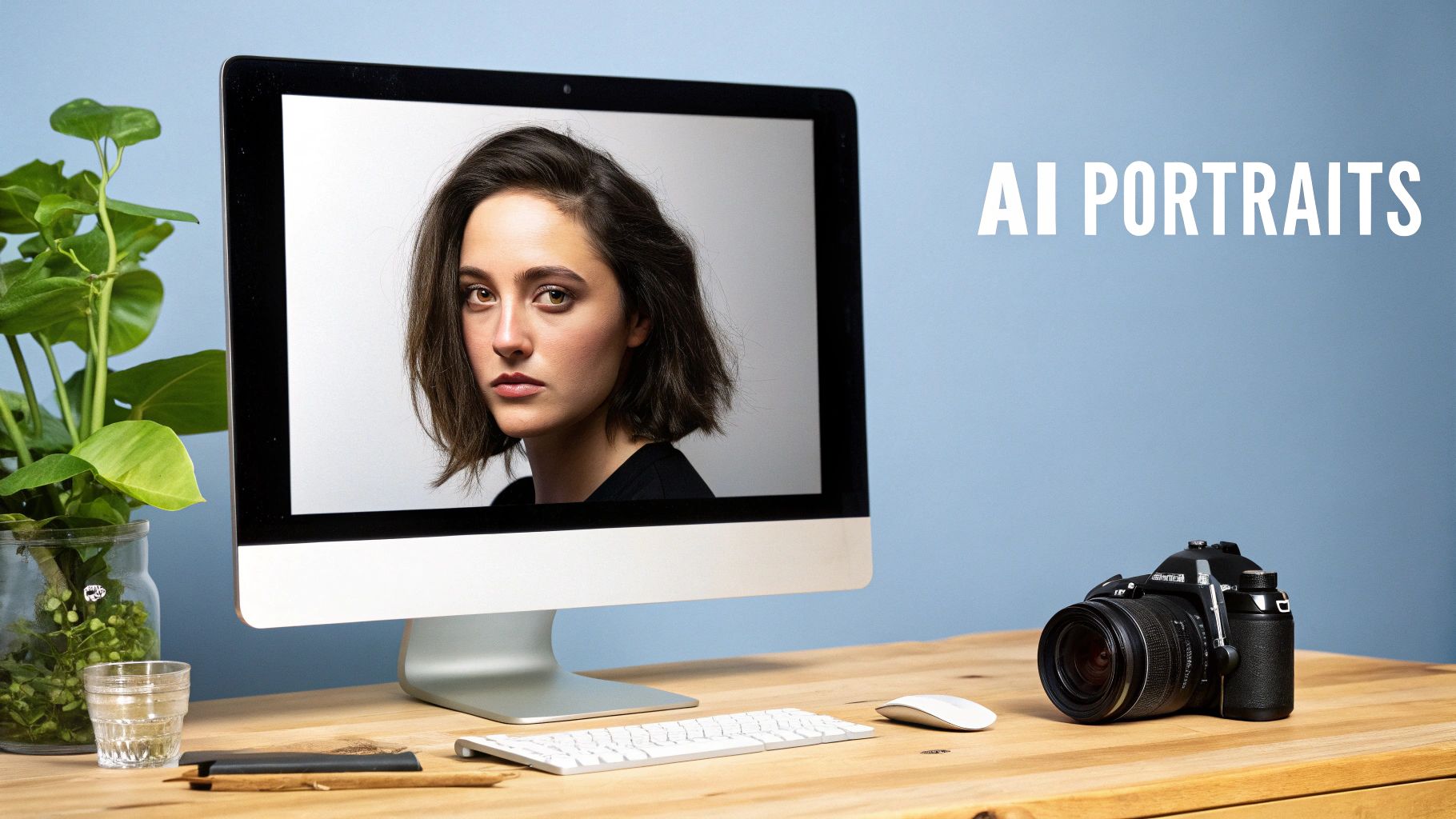
This isn't just a fleeting trend. It represents a genuine change in how we approach creating high-quality images for our careers, personal brands, and online profiles.
The Technology Behind the Realism
So, what's the magic? At the core of these tools are highly advanced machine learning algorithms, most notably diffusion models.
You can think of a diffusion model like a digital sculptor. It starts with a block of random noise—picture TV static—and meticulously refines it, step-by-step, into a detailed image based on your text prompts and input photos. By training on millions of real-world photographs, these models have learned the subtle rules of light, shadow, skin texture, and human anatomy.
This sophisticated process allows the AI to generate portraits that truly capture realism:
- Natural Skin Textures: It avoids that overly airbrushed, plastic-like finish that plagued earlier AI-generated images.
- Lifelike Expressions: It can produce everything from a subtle, confident smirk to a warm, approachable smile that feels authentic.
- Realistic Lighting: The AI convincingly mimics lighting conditions, from the soft glow of a window to the crisp lighting of a professional studio.
This isn't a niche technology, either. The global market for AI image generators is booming, with projections showing it will grow by a staggering USD 2,392.3 million between 2025 and 2029. This explosive growth is a direct response to the massive demand for accessible, top-tier visual content.
The real power here is giving professionals the ability to create and maintain a polished online presence without the time, cost, and logistical headaches of a traditional photoshoot. It’s about taking complete control of your personal brand.
For anyone who needs a great photo—from a founder seeking investment to a consultant building their client base—learning to use these tools is a game-changer. Whether you need to generate fresh AI headshots for your LinkedIn profile or just want a better picture for your company's "About Us" page, the technology is here and more powerful than ever. This guide will show you exactly how to make it work for you.
Choosing the Right Photos for Your AI Model
The quality of your final AI portraits is pretty much decided before you even think about writing a prompt. It all comes down to the photos you choose to train your personal AI model. I like to think of it as giving a chef the best ingredients—you can't expect a gourmet meal from subpar produce.
Your main goal here is to give the AI a complete, 360-degree understanding of what you actually look like. A few selfies snapped in the same room on the same day just won't cut it. The algorithm needs a rich variety of data to learn all the little details that make you, you.
Why Variety Isn’t Just a Suggestion—It’s Everything
A realistic AI photo generator is hungry for data. When you feed it images with different kinds of lighting, it learns how light and shadow play across your unique facial structure. When you upload photos with different expressions—a real smile, a serious gaze, a candid laugh—it starts to understand the nuances of your facial muscles.
This variety is the key to avoiding a common pitfall called "overfitting." That’s where the AI gets stuck on one specific look and just keeps recreating it. An overfit model has a one-dimensional view of you, making it almost impossible to generate new, interesting portraits.
To sidestep this, you need to pull together a collection that shows you in different contexts. This trains the AI to create images that aren't just accurate, but also authentic and versatile.
Building Your Ideal Photo Collection
So, what does the perfect set of input photos look like? You should aim for 10 to 20 high-quality photos. But honestly, the diversity within that set is far more important than hitting a specific number. Think of it as building a mini-portfolio of your face.
Use this quick reference to select the best photos for training the AI. A strong input set is the secret to achieving high-quality, realistic results.
| Your Input Photo Checklist for Better AI Portraits | |
|---|---|
| What to Include | What to Avoid |
| ✓ Close-ups & chest-up shots | ✗ Full-body or distant shots |
| ✓ Different facial expressions (smile, neutral, serious) | ✗ Group photos or other people in the frame |
| ✓ A mix of lighting (daylight, indoor, soft) | ✗ Heavy filters, sunglasses, or hats |
| ✓ Various angles (front, side profiles, 3/4 view) | ✗ Low-resolution or blurry images |
| ✓ Different backgrounds & outfits | ✗ Identical photos from the same photoshoot |
| ✓ Your face is clearly visible & in focus | ✗ Anything obscuring your facial features |
A well-curated set of photos is the foundation for everything that comes next. Getting this part right ensures the AI has all the information it needs to produce genuinely believable portraits.
To make it even simpler, here are the key things to look for:
- Diverse Angles: Make sure you have shots from the front, three-quarter views, and profiles from both your left and right sides.
- Range of Expressions: Don't just give it your standard LinkedIn smile. Mix in photos where you're laughing, looking thoughtful, or just have a relaxed, neutral expression.
- Varied Lighting Conditions: Grab some photos taken in bright, natural daylight—like outside or near a window—and mix them with some taken in softer, indoor lighting.
- Different Backgrounds and Outfits: Using photos from different days with different clothes and backdrops is a pro-move. It stops the AI from accidentally thinking that one particular shirt or wall is a permanent part of your identity.
The secret to a great AI portrait is feeding the model a rich, varied diet of images. The more diverse your input photos, the more flexible and accurate the AI will be in generating new, lifelike results that truly capture your essence.
By taking a little extra time to curate your photos, you're setting yourself up for success. A strong foundation gives the realistic AI photo generator everything it needs to create stunning portraits you'll actually be excited to use.
Crafting Prompts That Produce Realistic Results
Think of your prompt as a direct conversation with an AI photographer. If you just say, "give me a professional headshot," you're giving the AI a ton of creative license, which often leads to generic, uninspired results. The real magic happens when you get specific—I mean really specific.
The art is in the details you provide. Instead of a vague request, you can command the AI with the precision of a seasoned photographer calling out shots in a studio. We're talking camera settings, lighting setups, and even textural details that build a scene from the ground up. The more granular your instructions, the more control you have over the final image.
The Anatomy of a Powerful Prompt
A great prompt isn't about writing a novel; it's about layering distinct, clear instructions that the AI can easily understand and execute. I always tell people to break down their ideal photo into its core components.
Start thinking like a photographer and list out the key elements:
- Subject and Setting: Be clear about who is in the photo and where they are. Something like, "a female software engineer in a modern, sunlit office" works much better than just "a woman in an office."
- Camera and Lens Details: This is a pro move that makes a huge difference. Specifying a lens tells the AI how to frame the shot and handle the depth of field. An "85mm f/1.8 lens" gives you that classic portrait look with a beautifully blurred background (bokeh). A "35mm lens" will capture more of the environment.
- Lighting Style: Lighting is absolutely everything in photography. Don't be shy here. Use descriptive terms like "soft window light from the side," "dramatic Rembrandt lighting," or "golden hour sunlight." This one detail can completely transform the mood and realism of your portrait.
- Textural Qualities: To avoid that uncanny, "plastic skin" look that screams AI, you need to prompt for realism. I always add phrases like "detailed skin texture," "natural skin pores," and "photorealistic detail" to push the generator toward a much more lifelike result.
Before you even get to prompting, a well-structured photo selection process sets the stage for success.
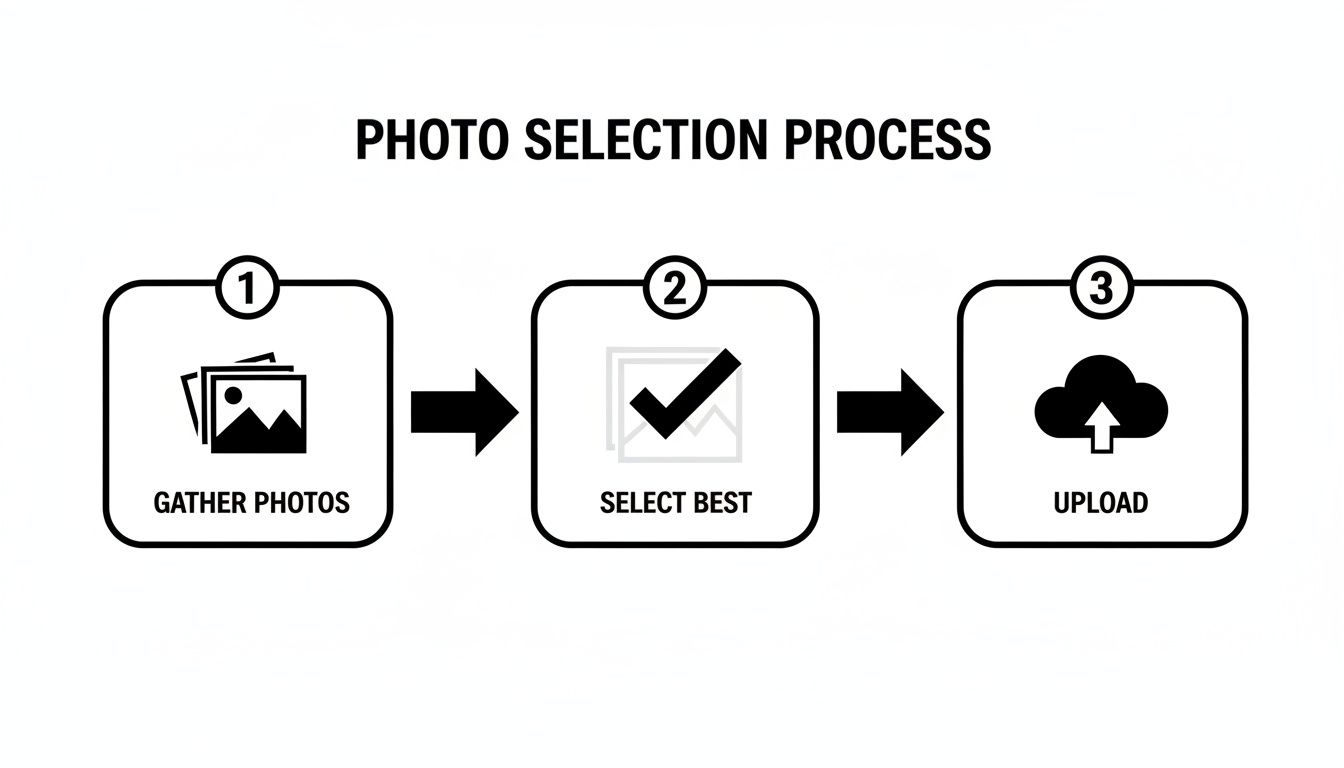
This simple workflow—gathering a diverse set of photos, picking the best ones, and then uploading them—is crucial. It gives the AI the high-quality data it needs to follow your detailed prompts with incredible accuracy.
Steering the AI with Negative Prompts
Telling the AI what you want is only half the battle. You also need to tell it what you don't want. This is where negative prompts become your best friend. They act as guardrails, steering the AI away from common artifacts and stylistic choices you want to avoid.
Think of it as preemptive quality control. If you’ve seen enough AI photos, you know they can sometimes look too smooth or have bizarre features. Negative prompts help you counteract those tendencies from the get-go.
By using negative prompts, you're essentially cleaning up the image before it’s even created. It's a highly efficient way to refine the output and avoid those digital flaws that immediately give away that an image is AI-generated.
Here are a few of my go-to negative prompts for ensuring realism:
airbrushed, plastic skin, smooth skincartoon, anime, 3D renderunnatural colors, oversaturatedblurry, poor quality, jpeg artifactsdeformed hands, extra limbs, bad anatomy
For a deeper dive into crafting both positive and negative instructions, you should check out our guide on how to write the perfect AI photo prompt.
The level of realism we can achieve now is truly remarkable. A Cornell University study actually found that people mistake AI-generated photos for real ones 38.7% of the time. The line is getting blurrier every day. By mastering your prompts, you can be on the right side of that line, creating images that are not just realistic, but truly convincing.
Tailoring Your Portraits for Every Platform
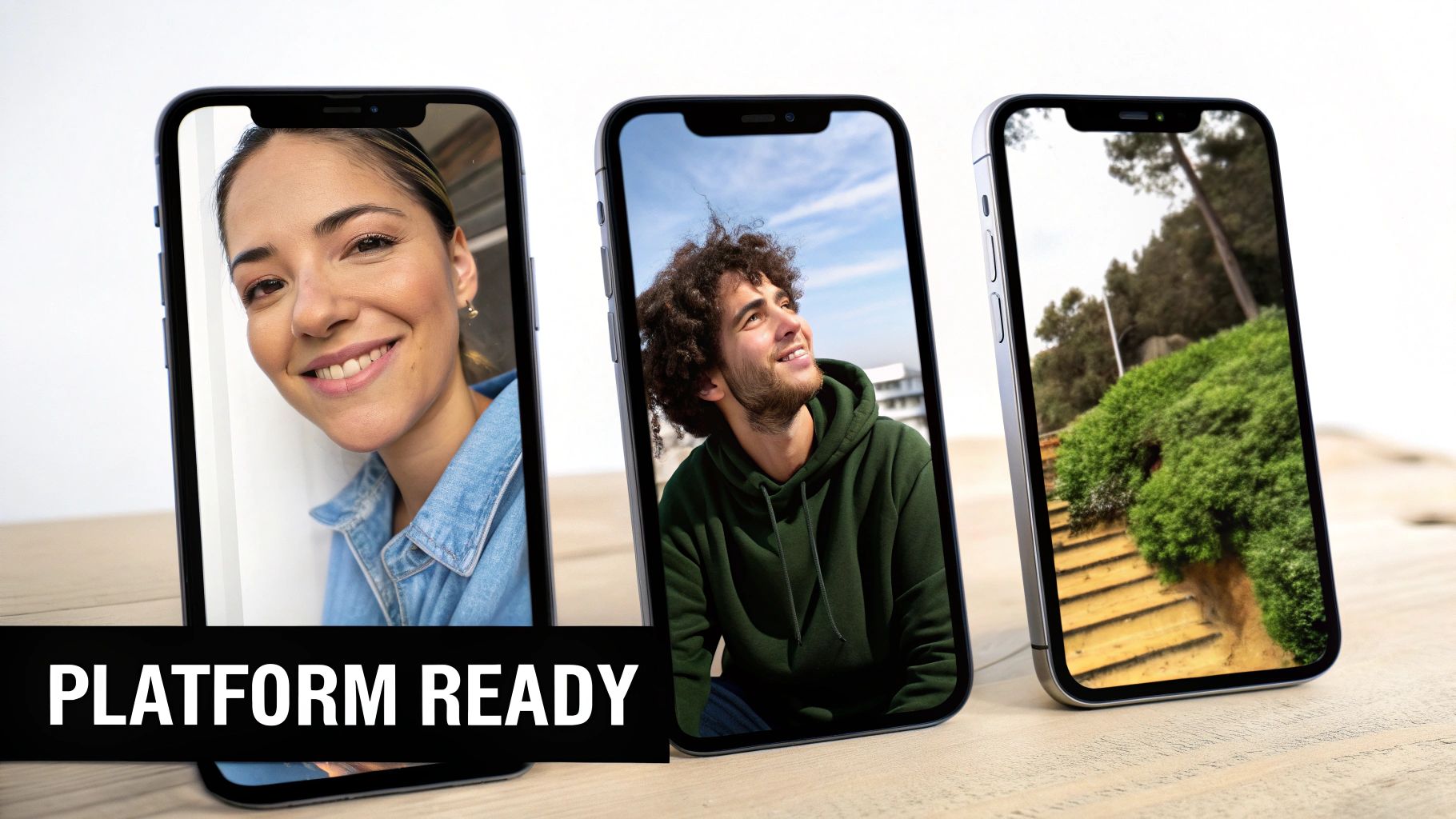
Let's be real: that one perfect headshot just doesn't work everywhere. The sharp, professional image that nails it on LinkedIn can come across as stiff or overly formal on a dating app. This is where a realistic AI photo generator really shines, giving you the power to create a distinct, compelling persona for each place you show up online.
The trick is to think about what "job" each photo has to do. On professional sites, you're building trust and signaling competence. On social or dating profiles, you want to be approachable and show off your personality. This goes way beyond just swapping out your shirt in the prompt; it’s about fine-tuning the entire scene to fit the platform's vibe and what its users expect to see.
Perfecting Your Professional Presence on LinkedIn
For LinkedIn, the name of the game is projecting expertise and polish. Your prompts should lean into classic studio or clean corporate settings. Think of it as building a visual foundation for your professional reputation.
Subtle backgrounds are your best friend here—anything that keeps the focus squarely on you.
- Prompt Idea: "Professional headshot of a confident female marketing director, wearing a dark navy blazer, soft smile. Background is a bright, modern office with blurred architectural details. Photographed with an 85mm f/1.8 lens, natural window light from the side."
- Why It Works: This prompt is packed with specifics. It dictates the professional attire ("dark navy blazer"), the friendly-yet-focused expression ("soft smile"), the right kind of environment ("modern office"), and even the technical details that signal quality ("85mm f/1.8 lens"). You're giving the AI a clear recipe for a polished, industry-appropriate shot.
Crafting an Authentic Vibe for Dating Apps
On platforms like Hinge or Bumble, you need a totally different playbook. The goal is to feel authentic and warm, like a friend snapped a great, candid picture of you.
Your prompts should describe scenarios that hint at your hobbies and personality. The whole idea is to look relaxed and genuine, not like you’re in a photo shoot.
The secret to a great dating profile photo is making it feel unstaged. Use prompts that describe natural environments and candid moments to create an image that feels both attractive and real.
Try weaving these elements into your prompts for a more approachable photo:
- Clothing: Go for casual but put-together. Think "well-fitting t-shirt" or a "cozy knit sweater."
- Setting: Place yourself in a real-world context, like a "local coffee shop with warm lighting" or "an outdoor park during golden hour."
- Expression: Ask for a "genuine laugh" or a "warm, friendly smile" to create that inviting feel.
Building Your Personal Brand on Instagram
Instagram is all about visual storytelling. This is your chance to get more creative and use lifestyle shots to tell a story about who you are.
Here, your prompts can be much more descriptive and artistic. Think about the personal brand you're trying to build. Are you an adventurous traveler? A creative artist? A tech innovator? Your prompt should paint that specific picture for the AI.
Let's take a freelance graphic designer who wants to look modern and creative.
- Prompt Idea: "Candid photo of a male graphic designer working on a laptop in a vibrant, artistic co-working space with murals on the wall. He's wearing a stylish casual jacket, looking thoughtfully at the screen. Natural light streams through a large industrial window, creating soft highlights. Shot on a 35mm lens."
By consciously tailoring each prompt, you’re not just creating a picture; you’re building a cohesive and strategic online identity, one platform at a time.
Fixing Common Flaws in AI-Generated Photos
Even the best AI photo generators can throw a curveball. You'll get a headshot that's 99% perfect—the lighting is incredible, the focus is sharp—but then you spot it. The hands look a bit strange, or there's a weird, unidentifiable object melting in the background.
Don't sweat it. These little quirks are a normal part of the process. Think of the AI as your creative partner; it does the heavy lifting, and you come in to add that final, human polish. Most of these minor issues are surprisingly easy to correct without having to start all over again.
Sometimes, the issue is more subtle, like a portrait that doesn't quite look like you, giving off that "uncanny valley" vibe. This usually happens when the AI model misinterprets something from your input photos. Often, the quickest fix is simply tweaking your prompt to be more descriptive about your expression or key features.
Refining and Regenerating Your Photos
When an image is almost there, the secret is iteration, not starting from scratch. Small, targeted changes to your prompt can make all the difference, and it's a much faster way to get what you want than just rolling the dice on a brand-new generation.
Here are a few common scenarios and how to handle them:
- Tackling Odd Hands: Ah, the classic AI artifact. This is where negative prompts are your best friend. Adding terms like
deformed hands, extra fingers, mutated handstells the model exactly what to avoid. - Fixing Background Weirdness: If the background looks like a surrealist painting (and you didn't ask for one), get more specific. Instead of just
"office background,"try something like"modern office with a blurred bookshelf and a single green plant."The details matter. - Improving Likeness: If the portrait feels a little off, you might need to increase the model's likeness setting. You can also guide it with more descriptive language in your prompt, like
"a photo with a slight, genuine smile,"to help it nail the expression you’re after.
Don't be afraid to regenerate. I always tell people to think of each generation as a draft. A few small tweaks to your prompt can produce huge improvements, saving you a ton of time you might have spent trying to fix things in post-production.
This back-and-forth approach puts you firmly in the driver's seat. You’re not just accepting a result; you're actively guiding the AI to create the exact image you have in mind. And when you're using a tool like Looktara, you can save your go-to settings and styles, making it dead simple to run another batch with a few minor adjustments until that perfect portrait appears.
Your Questions About AI Portraits Answered
Even with the best tools, jumping into AI portrait creation for the first time usually sparks a few questions. Getting straight answers is the best way to move forward and feel good about the process. Here, I'll tackle the most common things people ask when they start using a realistic AI photo generator.
Think of this as your practical, no-fluff guide. These are the details that make the difference between a frustrating experience and getting results you’re genuinely excited to use.
How Many Photos Should I Upload for the Best Results?
This is, hands down, the most common question I hear. While the sweet spot is typically 10 to 20 high-quality photos, the real secret isn't the number—it's the variety. A diverse set of images is the single most important ingredient for training an AI model that actually looks like you.
Imagine you're trying to teach an artist to draw you, but you only give them one picture taken from the same angle with the same smile. They’d get that one look down perfectly, but they’d be lost trying to draw you from any other perspective. The AI is no different.
To get those top-tier results, make sure your photo collection includes:
- A mix of close-ups and medium shots (from the chest up is perfect).
- Different facial expressions—think natural smile, a neutral look, maybe even a more serious one.
- Various lighting conditions and angles to give the AI a 3D understanding of your facial structure.
This rich, varied input is what gives the generator the data it needs to create portraits that are not only believable but also versatile.
Can Realistic AI Photo Generators Create Full-Body Images?
Yes, many of the more sophisticated generators can pull off full-body shots, but it’s a much bigger ask than a simple headshot. The AI has to contend with the complexities of human anatomy, how clothing drapes, and natural poses, all of which require a lot more guidance from you.
The key to getting a good full-body image is an incredibly descriptive prompt. You can't just say "full-body photo." You need to paint a complete picture, specifying the pose, the exact clothing, and the background in detail. For example, "Full-body shot of a man standing casually with hands in pockets, wearing a gray wool coat and dark jeans, in front of a modern city building."
Just be aware that some platforms are heavily tuned for headshots, so your mileage may vary. It’s always a good idea to see if the tool you’re using has a reputation for strong full-body generation before you dive in.
Your privacy and data security should always be a top priority. A trustworthy service will be transparent about its data handling practices, ensuring your images are used solely for your benefit and are protected from unauthorized access.
Is It Safe to Upload My Personal Photos?
Your privacy is a huge deal, and its protection really comes down to the service you choose. Reputable platforms will have crystal-clear policies stating that your photos are used only to train your personal AI model. That means they should never be shared, sold, or used for anything else.
Before you upload a single image, get in the habit of checking the platform's privacy policy and terms of service. This is where they spell out exactly how your data is stored, processed, and protected. Any trustworthy realistic AI photo generator will put user security first. For more on this and other common concerns, you can find a ton of info on our AI portrait FAQ page.
Ready to create your own studio-quality portraits in just a few minutes? Looktara uses advanced AI to generate natural, authentic photos that truly capture your likeness.
Article created using Outrank