
TL;DR
AI-generated portraits don't guarantee anonymity when they preserve a recognizable face. Public visibility, account connections, and identifying context matter alongside the image itself. Keep professional photos where recognition serves a purpose, review visibility from outside the account, and use non-face imagery where identity separation matters more.
An AI-generated profile picture can still reveal the person it depicts. For anyone assessing profile pictures' facial recognition risks in 2026, the key question isn't whether a camera or a generator created the image. It's whether the face remains recognizable and publicly accessible.
Job seekers benefit from recognition on LinkedIn. Freelancers need credibility, and creators often build brands around familiar faces. Those advantages don't require publishing the same portrait on every account.
Facial recognition: Algorithmic comparison of facial images or their representations to verify a claimed identity or identify someone among known identities.
Biometric template: A numerical representation of facial characteristics used for comparison, rather than simply a copy of the photograph.
A professional-looking portrait and a privacy-conscious publishing strategy solve different problems.
Table of Contents
What risks do public profile pictures create?
Public profile pictures can expose identity by making a recognizable face available for copying, comparison, and connection to other accounts. Facial recognition is one route to that connection; names, usernames, backgrounds, and identical images provide others. Exposure depends on who can access the photo and what information accompanies it.
Verification, identification, and image search differ
Verification: A one-to-one comparison asks whether a face matches a claimed identity, such as an enrolled account holder.
Identification: A one-to-many comparison searches known faces for a possible match. A result is a candidate, not automatic proof of identity.
Reverse image search: A search for matching or related images can connect profiles without performing biometric identification.
These distinctions matter because changing a photo may disrupt an identical-image match while leaving the depicted person recognizable. Different portraits aren't necessarily separate identities.
Four exposure routes worth separating
| Exposure route | What enables it | Practical concern |
|---|---|---|
| Face comparison | A visible face and a reference collection | Possible connection to a named identity |
| Identical-image matching | Reuse of the same portrait | Connection between otherwise separate accounts |
| Contextual identification | Employer, location, uniform, or background | Identification without face-matching software |
| Copying and impersonation | Access to a downloadable image | Reuse in a misleading profile |
An accessible photo doesn't establish that it has entered a recognition database. Actual collection depends on the service, access conditions, and actors involved. Likewise, a possible match shouldn't be treated as conclusive identification.
A profile picture isn't equivalent to a password. Replacing the image changes the published file, but it doesn't change the underlying face.
Are AI-generated profile pictures anonymous?
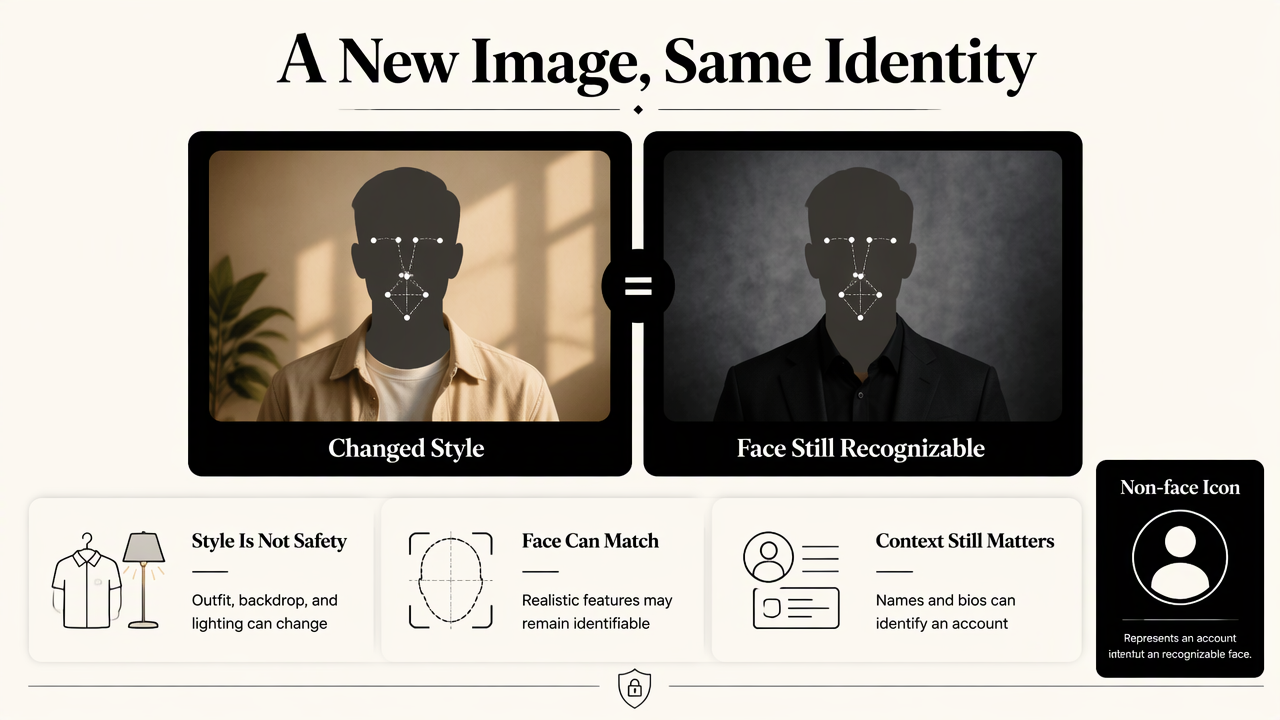
AI-generated profile pictures aren't necessarily anonymous because a generated portrait may preserve recognizable facial characteristics. A changed outfit, background, or lighting style doesn't establish protection against face matching. An image designed to resemble a real person should be treated as potentially identifiable, regardless of how it was created.
Realism and anonymity serve different goals
A realistic professional portrait aims to communicate identity. A non-face illustration or abstract icon can serve a different purpose: representing an account without publishing a recognizable face. Even then, account names and biography details may identify its owner.
Cropping, sunglasses, filters, and reduced resolution shouldn't be treated as dependable anonymization. Their effects depend on the image, comparison system, and available reference photos. No universal safe crop or resolution follows from the supplied research.
- Recognition-first profile: Use a current, representative portrait where professional identification is intentional.
- Identity-separated account: Consider non-face imagery and review names, links, and biography details together.
- Safety-sensitive situation: Prioritize access restrictions and specialist advice over cosmetic image changes.
The 2026 research context and next questions
The supplied scholarly sources offer broader digital-identity context, not tests of profile-photo anonymity. The 2022 survey by Yuntao Wang, Zhou Su, and Ning Zhang, A Survey on Metaverse: Fundamentals, Security, and Privacy, examines security and privacy in virtual environments.
The 2024 survey by Lik-Hang Lee and colleagues, All One Needs to Know about Metaverse, addresses virtual systems and a wider research agenda. Neither source's supplied metadata supports a claim that AI headshots prevent identification.
For 2027 planning, useful evidence would test recognizable generated portraits against named systems under clearly stated conditions. A privacy claim needs a defined test, not just a different-looking image.
How can profile-photo exposure be reduced?
Profile-photo exposure can be reduced through a publishing review:
- Define where recognition serves a purpose.
- Inspect each profile while logged out.
- Restrict available photo and discovery settings.
- Separate public professional imagery from identity-sensitive accounts.
- Remove unnecessary identifying context.
- Review upload-provider terms before submitting source photos.
Check the audience, not just the privacy label
A private account label doesn't necessarily describe every visible element. Platform settings vary, so the profile picture, thumbnail, biography, and search preview deserve separate inspection. A logged-out browser can show what an unauthenticated visitor sees, though it doesn't reveal every possible access route.
A practical review should cover:
- Profile visibility: Whether strangers can see the full image or a thumbnail.
- Discovery controls: Whether email addresses or phone numbers help others find the account.
- Connected identities: Links to employers, websites, and other social accounts.
- Public copies: Old avatars, directory listings, and tagged photographs.
Restricting access can reduce opportunities for collection. It can't recall screenshots or copies already held elsewhere.
Treat uploads and public posting as separate decisions
An image provider receives whatever source photos a person submits, while a social platform receives the published result. Reviewing one service doesn't replace reviewing the other.
Before uploading, check the provider's stated retention period, deletion process, training permissions, and third-party sharing terms. Unclear wording deserves clarification rather than an assumption of confidentiality. Avoid submitting unrelated documents, other people's faces, or unnecessary location details.
Background checks are useful too: remove visible addresses, badges, client information, and distinctive home details. Metadata handling varies by service, so removing unnecessary location metadata before posting is a sensible precaution.
Match the image to the account's purpose
A job seeker's LinkedIn portrait and a pseudonymous support-group avatar have different requirements. Dating profiles also need a representative appearance, while an account intended to keep identities separate may be better served by an illustration.
A simple account inventory makes those choices easier: record the audience, the reason recognition matters, and the image selected for each profile. That creates a repeatable review process whenever a new account is added.
How Looktara fits a professional profile workflow
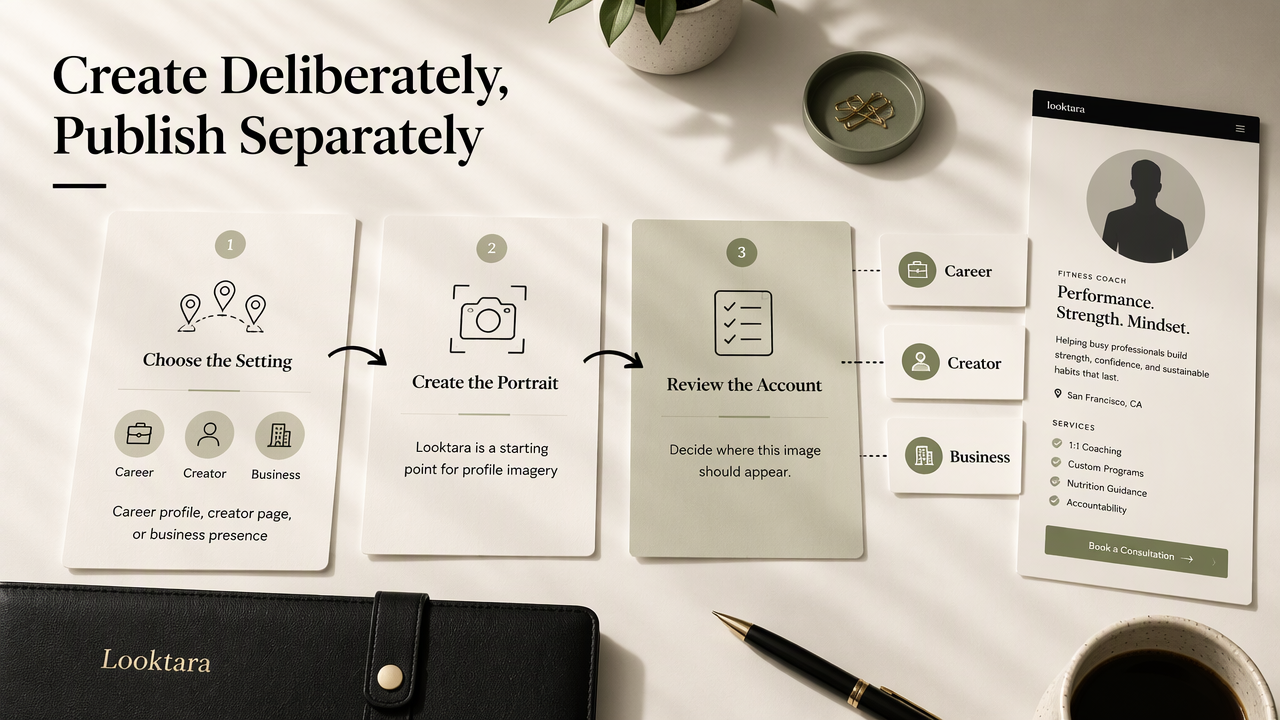
Looktara fits the image-creation stage of a professional profile workflow, where the goal is a recognizable portrait suited to its intended audience. Publishing decisions belong in a separate account review. Keeping those tasks distinct helps career professionals choose imagery deliberately rather than distributing one portrait everywhere.
Choose imagery for a defined professional audience
For professionals preparing AI profile imagery, Looktara provides a relevant starting point. The useful first decision is the intended setting: a career profile, creator page, or business presence.
Fitness coaches can explore fitness LinkedIn profile imagery for a career-facing account or fitness Instagram profile imagery for a creator presence. These destinations match distinct publishing purposes.
- Career profiles: Favor a clear face, restrained styling, and a current appearance.
- Business branding: Keep visual choices consistent with the service offered.
- Creator profiles: Select a recognizable thumbnail that works at small sizes.
The finished portrait should be reviewed alongside its display name, biography, and intended audience before publication.
FAQ: Facial recognition and profile-photo privacy
Profile-photo privacy depends on recognizable identity, access, and account context rather than a single image setting.
Does deleting a profile picture remove every copy?
Deleting a profile picture removes it from that location according to the platform's behavior, but it doesn't guarantee deletion of screenshots, reposts, or copies held elsewhere. Old accounts and public directories deserve separate checks. Where a service offers a removal request, that process should be reviewed independently.
Can a private account prevent facial recognition?
A private account can limit access, but it doesn't establish complete protection against facial recognition. The avatar may remain visible, and approved viewers may still copy images. The useful question is which profile elements remain accessible to strangers and whether the platform provides separate controls for those elements.
Is an AI headshot suitable for LinkedIn?
An AI headshot can serve a professional profile when it represents the person accurately and follows applicable platform rules. Recognition is often intentional on LinkedIn, so anonymity shouldn't be assumed. The image should be checked for misleading facial changes, invented credentials, inappropriate branding, and inconsistencies with the person's current appearance.
Conclusion
Next step: Build a deliberate publishing plan
A useful next step is an inventory of public accounts, followed by a logged-out visibility check and a decision about where a recognizable face belongs. For a professional image refresh, consider Looktara at looktara.com after defining the audience. Choose the portrait for its purpose, then review the surrounding account details before publishing.
Generated by EarlySEO.com