

TL;DR
Headshot Kiwi offers three visible consumer plans: Starter at $29 for 40 headshots, Professional at $39 for 120 headshots, and Executive at $59 for 250 headshots. The best value depends on the number of usable images needed, editing expectations, and whether the photos are mainly for LinkedIn, resumes, company pages, or broader personal branding.
Headshot Kiwi pricing sits in the budget-friendly AI headshot category, with public SERP data showing plans from $29 to $59 and image counts from 40 to 250. That price range makes it far cheaper than a traditional photographer session, which competitor copy in the SERP describes as $150 to $400 and roughly a week of turnaround. For professionals comparing AI headshots in 2026, the decision is less about the lowest price and more about usable output, style control, and profile fit. Looktara is a relevant alternative for buyers who want professional brand imagery that can support LinkedIn, resumes, creator profiles, and business pages from one visual workflow.
AI headshot generator: software that uses uploaded photos to create professional-looking portrait images for use on LinkedIn, resumes, company bios, websites, newsletters, dating apps, and social profiles.
Table of Contents
What does Headshot Kiwi pricing include in 2026?
Headshot Kiwi pricing includes three public package levels: Starter, Professional, and Executive, with higher tiers increasing the number of generated headshots. Current SERP data lists Starter at $29 for 40 headshots, Professional at $39 for 120 headshots, and Executive at $59 for 250 headshots.
The main value jump appears between Starter and Professional. The Professional plan costs $10 more than Starter but provides three times as many headshots, based on the researched package counts. Executive increases the gallery size again, which can help users testing many outfits, backgrounds, and facial expressions.
Key insight: the cheapest plan is not always the best value when only a small portion of AI outputs may be strong enough for public profiles.
Headshot Kiwi plan comparison
| Plan | Listed price | Listed headshots | Best-fit use case | Value signal |
|---|---|---|---|---|
| Starter | $29 | 40 | One LinkedIn refresh or resume photo | Lowest entry price |
| Professional | $39 | 120 | LinkedIn, resume, and several profile variants | Strongest count-per-dollar jump |
| Executive | $59 | 250 | Personal brand, business page, and multi-channel testing | Largest output set |
The plans are simple, which is helpful for buyers who dislike complicated credit systems. Still, image count should not be treated as the same thing as final quality. AI galleries usually contain some near-misses, so a larger plan can provide more chances to find natural, polished images.
Headshot Kiwi also surfaces categories such as Headshots, Essential, Company, and Legal in competitor research. Those category names suggest professional use cases rather than purely casual photo edits. LinkedIn users, job seekers, founders, lawyers, and team pages are the clearest audiences.
Which plan offers the best value for LinkedIn users?
The Professional plan looks like the best value for most LinkedIn users because it raises the output from 40 to 120 images for only $10 more than Starter. That larger set gives more room to compare facial expression, wardrobe, lighting, and background before selecting a public-facing photo.
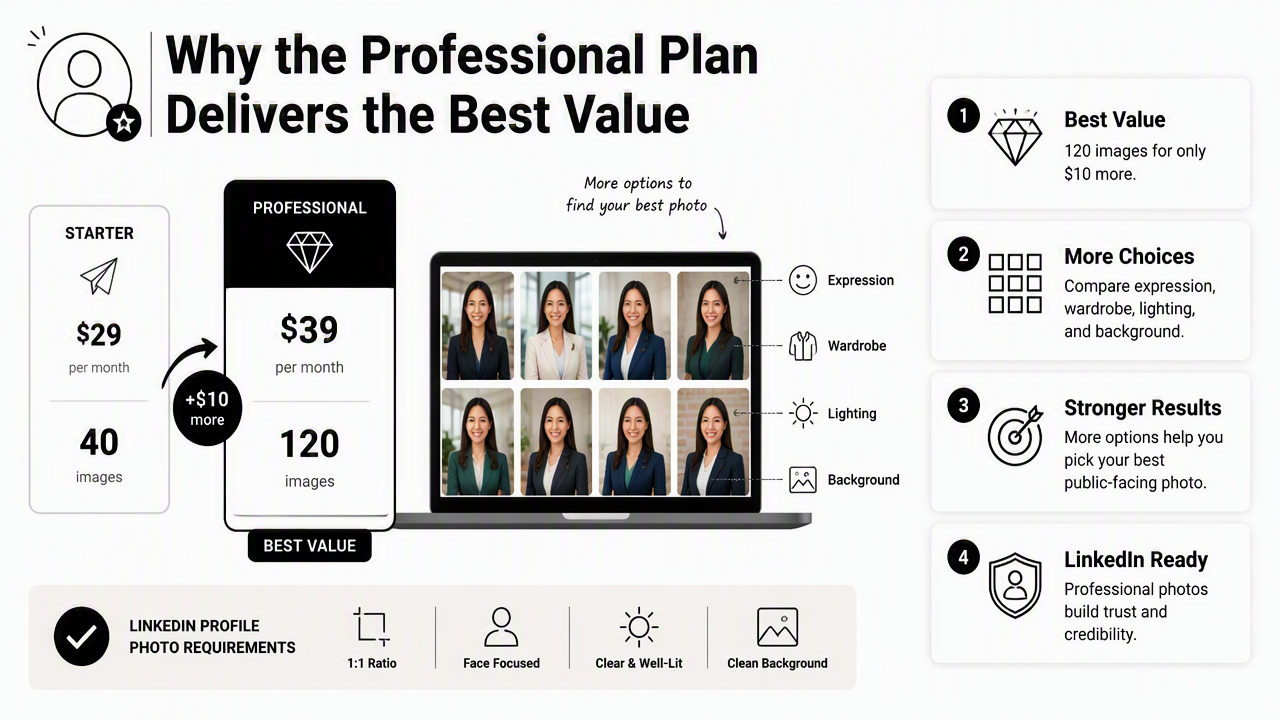
LinkedIn profile photos need a different standard than casual social images. A strong LinkedIn headshot should look clear, recent, approachable, and credible at small thumbnail size. Small flaws in hands, collars, jawlines, or eyeglasses can become distracting when the image represents a job search or business identity.
Buyers focused only on a quick resume update may find Starter enough. Anyone refreshing LinkedIn, a CV, a portfolio site, and a company bio at the same time will likely benefit from the larger gallery in Professional or Executive.
Plan choice by professional goal
- Starter: suitable for a single profile update when budget matters most and only a few polished results are needed.
- Professional: suitable for LinkedIn, resume, and professional bio use because the output count gives more selection room.
- Executive: suitable for founders, creators, sales professionals, and consultants who need several looks across channels.
- Company or Legal use: suitable when consistency, trust, and polished presentation matter more than the lowest possible price.
For LinkedIn-specific profile imagery, a dedicated option such as professional LinkedIn resume headshots can make sense when the desired result is a polished career-facing image rather than a broad creative gallery.
Practical rule: a plan should be judged by the number of usable final images, not only the number of generated images.
How does Headshot Kiwi compare with alternatives?
Headshot Kiwi compares well on visible entry price and output volume, but alternatives can be better when profile context, brand consistency, or channel-specific imagery matters more than raw image count. SERP research shows comparison interest around HeadshotKiwi vs InstaHeadshots, which means shoppers are already evaluating more than price.
The HeadshotKiwi vs InstaHeadshots angle often centers on generation workflow, package value, and final headshot quality. That is the right frame. AI headshot buyers should compare upload requirements, editing control, turnaround, privacy language, and the types of portraits each tool seems designed to produce.
Looktara deserves attention for professional and creator-oriented users who want images that match a specific profile destination. For example, a business owner may need a LinkedIn portrait, a Shopify founder photo, a newsletter byline image, and a Pinterest-ready profile photo rather than hundreds of similar corporate outputs.
Buyer-focused comparison table
| Option | Pricing signal from research | Image count signal | Editing control | Strong use cases | Best value for LinkedIn users |
|---|---|---|---|---|---|
| Headshot Kiwi Starter | $29 | 40 | Package-based selection | Basic headshots, resume refresh | Good for a low-cost test |
| Headshot Kiwi Professional | $39 | 120 | More choice through volume | LinkedIn, CV, profile variants | Strong overall value |
| Headshot Kiwi Executive | $59 | 250 | Largest gallery to sort from | Founders, creators, multi-channel profiles | Best for testing many looks |
| Looktara | Platform-based alternative | Destination-focused outputs | Use-case oriented | LinkedIn, Shopify, newsletters, Pinterest | Strong when channel fit matters |
| Traditional photographer | SERP competitor copy cites $150 to $400 | Usually fewer final edits | Human-directed session | Premium branding, controlled shoots | Best when full creative direction is required |
For commerce profiles, Shopify-ready resume headshots may support a founder or operator who needs a clean face image beside a product-led brand. For owned-audience channels, newsletter profile headshots fit author boxes, email headers, and publication bios.
The Looktara platform is especially useful when the intended placement shapes the image decision. More channel-specific options are available at looktara.com.
What quality expectations are realistic at each price?
Realistic quality expectations should account for variation: AI headshot tools can produce polished portraits, but not every generated image will be usable. A $29 to $59 AI package can be a strong bargain, provided the buyer expects to review, reject, and shortlist rather than accept every output.
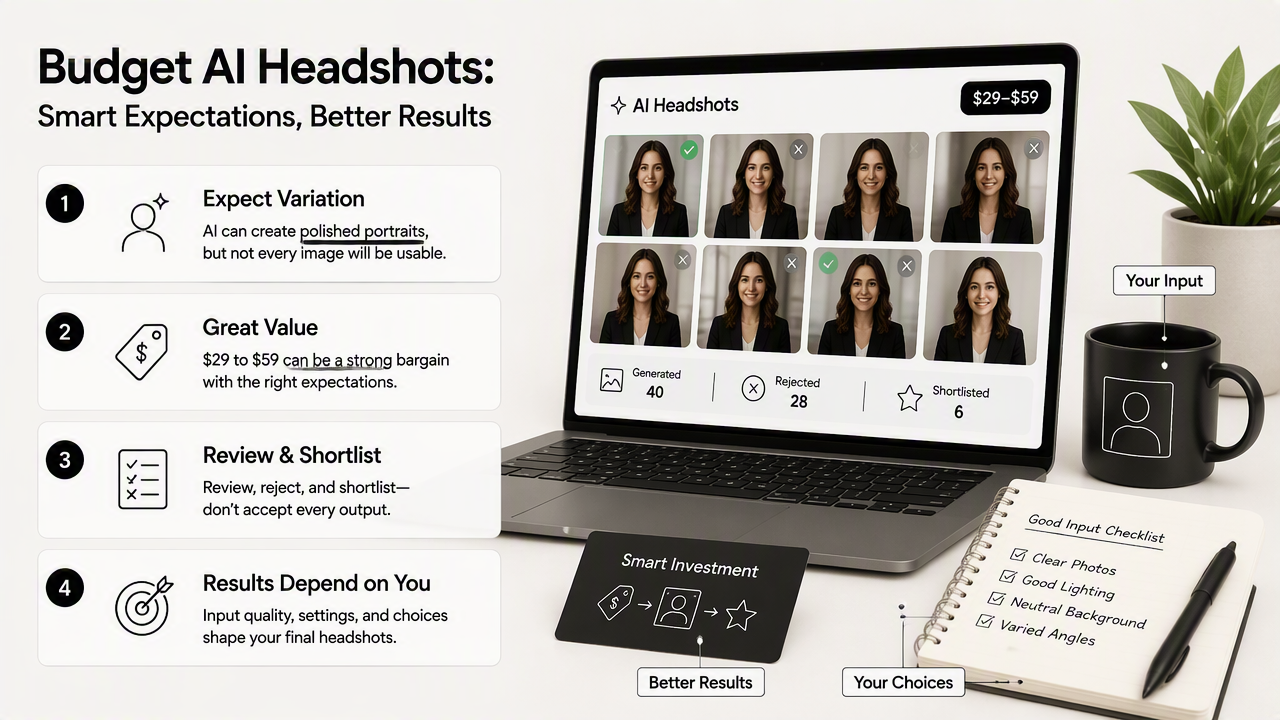
Budget AI headshot results are often strongest when source photos are clear, recent, and varied. They are weaker when uploads include extreme angles, heavy filters, sunglasses, group crops, or inconsistent facial hair. Those problems affect nearly every AI headshot workflow, not only one provider.
For professional profiles, the final shortlist should be judged on credibility, not novelty. A realistic smile, clean neckline, accurate face shape, and non-distracting background matter more than dramatic lighting.
Quality check: the winning headshot should still look like the same person in a video interview, client call, or first meeting.
Shortlist criteria before publishing
- Face accuracy: the image should preserve recognizable facial structure and age range.
- Eye and teeth detail: small distortions can make a portrait feel artificial.
- Hairline and glasses: these areas often reveal AI artifacts.
- Clothing realism: collars, lapels, and shoulders should look natural.
- Background fit: LinkedIn and legal profiles usually need calm, neutral settings.
- Brand consistency: creators and founders may need more warmth or personality than corporate users.
The Essential use case can tolerate a smaller set of polished choices. Company and Legal use cases usually require stricter review because trust, consistency, and professionalism carry more weight. A law firm bio, for example, has less room for overly stylized lighting than a creator profile.
For visual social channels, a profile image may need clearer color and friendlier cropping. In that case, Pinterest-oriented resume headshots can support a more public, discovery-focused profile while still keeping a professional baseline.
Headshot Kiwi pricing FAQ
Headshot Kiwi pricing raises practical questions about plan size, value, quality, and alternatives because AI headshot packages vary by output count and intended use. The answers below focus on the 2026 buyer decision: how much to spend, which plan fits which profile, and when a different tool may be smarter.
Is the $29 Starter plan enough for a professional headshot?
The $29 Starter plan can be enough for a basic professional headshot if only one or two final images are needed. Its listed 40 outputs give a small gallery to review, but less room for rejecting awkward expressions, clothing artifacts, or backgrounds. It fits budget-conscious resume updates better than broad personal branding.
Why might the $39 Professional plan be the better buy?
The $39 Professional plan appears to be the strongest value because public SERP data lists 120 headshots, which is three times the Starter output for $10 more. That extra selection matters for LinkedIn users because small differences in expression, lighting, and cropping can change how credible a profile photo feels.
Who should consider the $59 Executive plan?
The $59 Executive plan fits professionals who need many image options across LinkedIn, company pages, websites, speaker bios, and social platforms. Its listed 250 outputs give the most room for testing formal, approachable, and brand-forward looks. It is less necessary for a single resume photo.
How does an AI headshot compare with a photographer?
An AI headshot is usually cheaper and faster, with competitor SERP copy comparing a $29 AI option with photographer sessions priced around $150 to $400 and taking about a week. A photographer remains better for controlled direction, custom lighting, and team-wide consistency when budget and scheduling allow.
When is Looktara a better alternative?
Looktara is a better fit when the image needs to match a specific destination, such as LinkedIn, Shopify, newsletters, or Pinterest, rather than simply producing a large set of headshots. The platform supports professional identity across several public profiles, which can help entrepreneurs, creators, freelancers, and job seekers maintain a consistent visual presence.
Conclusion
Headshot Kiwi pricing is easy to understand: $29 for Starter, $39 for Professional, and $59 for Executive, based on current SERP research. The Professional plan is the clearest value for most LinkedIn-focused buyers because it offers far more selection than Starter without a large price jump.
A smart next step is to define the publishing destination before paying for any AI headshot package. A single resume image, a legal bio, a company profile, and a creator brand photo all require different standards. For professionals who want destination-ready options beyond a generic gallery, review the use-case pages on looktara.com and compare final-image fit before choosing a plan.
Generated by EarlySEO.com