
TL;DR
Start with useful formats such as speaker cards, thank-you inserts, and small desk prints rather than novelty merchandise. Approve the portrait's likeness, match the printer's specifications, and order a physical proof before producing a batch.
A polished portrait deserves a useful format, not just another profile upload. Custom photo products from professional AI portraits can extend a professional identity into event materials, client correspondence, and team welcome kits. For professionals exploring portrait imagery, Looktara is a relevant starting point; the next step is matching an approved image to a clear business purpose. In 2026, the strongest approach is simple: preserve recognizable features, keep branding consistent, and print only what serves the recipient.
Table of Contents
What are custom photo products made from AI portraits?
Custom photo products made from AI portraits are printed or digital items that use an AI-generated likeness as part of their design. Professional applications include speaker cards, desk prints, thank-you inserts, and media packages. Their value comes from helping someone recognize a person, understand a role, or remember a business relationship.
Professional AI portrait: An AI-generated or AI-assisted image intended to represent a real person in a work-related setting.
Custom photo product: A physical or digital item personalized with a selected image, text, or layout.
Print proof: A sample used to approve appearance before the full order.
Professional imagery serves recognition, not decoration
A business portrait should connect the pictured person with a useful message. A speaker card might include a session title and booking link; a consultant's thank-you insert might pair a small headshot with contact details.
- Identity-led products: Introduce a speaker, employee, founder, or creator.
- Relationship-led products: Acknowledge a client, collaborator, or new teammate.
- Portfolio-led products: Present a consistent identity alongside services or selected work.
A styled portrait can support these goals, but it shouldn't imply an event, achievement, or location that never existed.
Which portrait products fit a professional brand?
The best portrait products solve a specific communication need rather than placing a face on every available surface. Selection should follow the recipient, setting, and intended action. A creator pitching partnerships needs different materials from a remote employee joining a team.
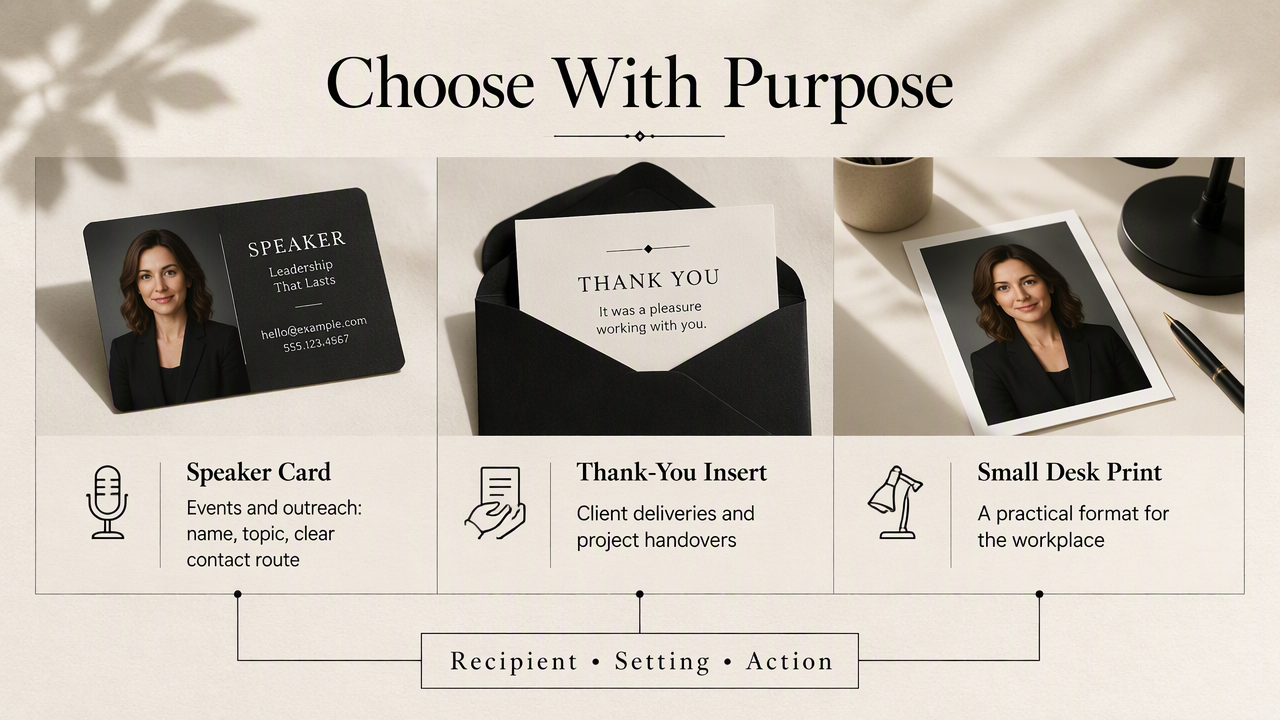
Five business-safe formats and their best uses
Small, purposeful formats offer a practical starting point because each has a clear place in a professional workflow.
| Product | Best use | Design priority |
|---|---|---|
| Speaker card | Conferences, workshops, booking outreach | Name, topic, readable contact route |
| Thank-you insert | Client deliveries or project handovers | Personal message with a modest portrait |
| Desk print | Home office or optional team display | Natural likeness and restrained framing |
| Team welcome kit card | Introducing new colleagues | Role, department, approved contact details |
| Creator media package | Partnership pitches and press outreach | Matching portrait across cover and bio |
A media package can combine a digital one-page profile with a printed leave-behind. A desk print works better as an optional keepsake than a mandatory item in every employee kit.
Choose usefulness over novelty
Novelty formats can distract from a professional message when their style conflicts with the audience. Fantasy costumes, oversized face prints, or dramatic scene changes may suit entertainment content, but they rarely add clarity to a consulting introduction or executive speaker card.
A useful portrait product answers three questions: who the person is, why the recipient should care, and what happens next.
For creator businesses, product presentation can accompany the portrait without competing with it. A fitness creator preparing branded merchandise could explore fitness product mockups for Instagram as a separate presentation asset. A mockup helps preview a concept; an actual print sample confirms the finished result.
How should AI portraits be prepared for printing?
AI portraits should be prepared for printing through a controlled approval process:
- Select a recognizable portrait.
- Check details at full size.
- Confirm the final crop and dimensions.
- Match the printer's file requirements.
- Add text in a layout tool.
- Order and inspect a physical proof.
Calculate resolution from the finished dimensions
Image quality depends on the final print size, not just how sharp the portrait looks on a phone. Pixel dimensions describe the file; pixels per inch, or PPI, describes how densely those pixels fit into the chosen print dimensions.
For example, a 4-by-6-inch image at a planning target of 300 PPI needs 1200 by 1800 pixels. That calculation isn't a universal printer requirement. The supplier's specifications take priority, especially for large displays viewed from farther away.
Confirm these details before exporting:
- Required pixel dimensions and accepted file format.
- Bleed, which extends artwork beyond the trim edge.
- Safe margins for names, faces, and contact details.
- Requested color profile, rather than an assumed conversion.
Check the cropped file again after resizing. Upscaling can increase pixel dimensions, but it doesn't establish that facial details are accurate.
Inspect likeness, layout, and the physical proof
Portrait approval should cover identity as carefully as image sharpness. Review eyes, teeth, hair edges, glasses, clothing, and visible hands. Compare the result with recent reference photographs, especially when the print will introduce someone in person.
Add names, job titles, and logos in a design tool rather than relying on text embedded in a generated image. Keep editable text separate so a role change doesn't require rebuilding the portrait.
A physical proof reveals how the chosen paper and finish affect color, contrast, and facial detail. Inspect small type, skin tones, and trimming under ordinary lighting before approving a batch.
Keep an approved master file, a print-ready export, and a digital version together. Clear filenames and version dates help teams reuse the same identity across future materials.
How Looktara handles this
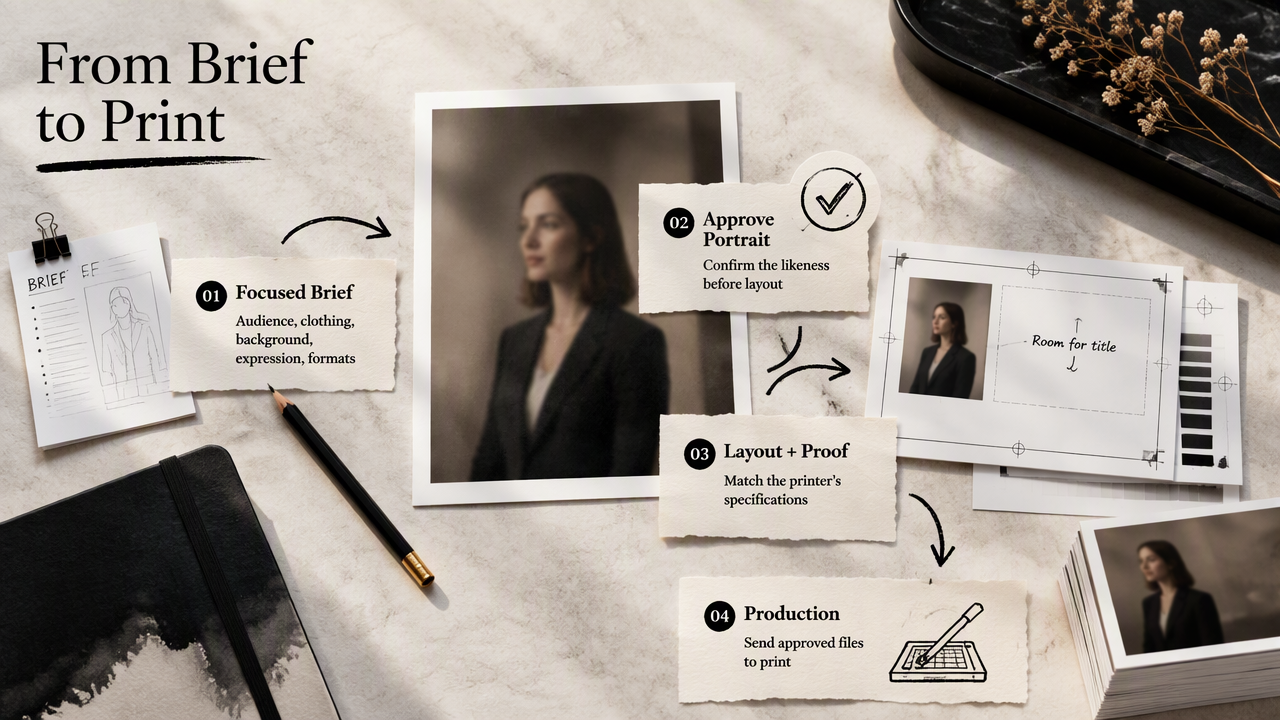
Looktara fits the portrait-creation stage of this workflow, with the approved image then moving into layout, proofing, and production. A focused brief gives that stage a useful direction: intended audience, clothing style, background, expression, and the formats planned for the finished portrait.
Build a reusable portrait brief
A reusable brief should describe a professional identity rather than a single isolated image. A freelance adviser might specify approachable expression, understated clothing, a quiet background, and room beside the face for a speaker-card title.
Use the same brief when planning related assets:
- A close crop for profile images.
- A wider crop for speaker cards and media covers.
- A restrained background for printed inserts.
For a fitness business, LinkedIn product imagery can support a separate business-facing asset set. It should complement the portrait's visual style, not replace the personal introduction.
Keep approval and permissions explicit
Permission and truthful context remain separate responsibilities from image creation. Obtain the depicted person's approval, check the generator's commercial-use terms, and confirm the print provider accepts the files. Employee portraits shouldn't move into public-facing materials simply because an internal version was approved.
Two older sources provide background on manipulated media: a 2021 Journal of Advertising paper examines responses to manipulated advertising, while a 2022 Journal of Business Research paper addresses deepfake deceptions, mitigations, and opportunities. Neither supplies a print-production standard.
FAQ: Printing and using AI portrait products
AI portrait products need both production checks and clear rules about representation before they enter professional use.
Can AI portraits be used on business cards?
AI portraits can be used on business cards when the person approves the likeness and applicable terms permit the intended use. A small portrait should support recognition without crowding the name, role, or contact details. A proof helps confirm that the face remains clear at the actual card size.
Should professional portrait products disclose AI use?
Disclosure should follow applicable rules, organizational policy, and the context in which the portrait appears. Clear labeling is sensible when a stylized image could otherwise be mistaken for documentary evidence. A portrait shouldn't imply attendance, credentials, endorsements, or real-world experiences that the depicted person cannot accurately claim.
Is an AI portrait suitable for a large framed print?
Suitability depends on source detail, crop, viewing distance, and the printer's specifications. A portrait that works well on a small card may reveal artifacts when enlarged. Review the file at the proposed dimensions and request a proof or sample before committing to a large framed display.
What should a first order include?
A first order should include one clearly defined product and a physical proof, rather than a full merchandise range. Speaker cards or thank-you inserts are practical starting options. Confirm likeness, text, color, paper, and trimming, then approve a quantity that matches a real event, delivery schedule, or onboarding need.
Conclusion
Start with one audience, one approved portrait, and one useful format. Custom photo products from professional AI portraits work best when recognition and purpose guide the design. Professionals ready to develop the portrait brief can explore Looktara at looktara.com, then request the chosen printer's specifications and order a proof before approving production.
Generated by EarlySEO.com