
TL;DR
A strong AI portrait package should cover every public touchpoint: LinkedIn, website bio, speaker profile, social avatar, newsletter image, and casual brand portrait. The best results come from consistent styling, realistic editing, platform-specific crops, and a clear plan for where each image will appear.
A custom AI portrait package for personal branding now solves a practical problem: one professional needs many credible images, not one perfect headshot. Hiring a photographer for every platform update can be slow, while using mismatched selfies can weaken trust. Looktara helps creators, founders, job seekers, freelancers, and remote professionals create coordinated portrait sets for modern profiles, campaigns, and content systems.
Personal branding: a strategic process for creating, positioning, and maintaining a positive public perception of a person through distinctive traits, expertise, and consistent presentation.
A modern portrait set should work across LinkedIn, portfolio sites, newsletters, speaker pages, media kits, and social channels. It can also pair with brand assets such as AI-generated website hero visuals when a solo operator needs a complete visual identity, not just a face photo.
Table of Contents
What is a custom AI portrait package for personal branding?
A custom AI portrait package for personal branding is a coordinated set of AI-generated portraits designed to present one person consistently across professional and social channels. It usually includes platform-specific crops, multiple outfits or backgrounds, and different expression styles for networking, content, public speaking, newsletters, and founder-led marketing.
The key difference from a single AI headshot is range. A package gives a professional enough image variety to look polished without appearing repetitive across every channel.
Key insight: The strongest package is not the one with the most images. It is the one with the right images for the places where credibility is built.
Core package components by platform
| Portrait type | Best use | Recommended style |
|---|---|---|
| LinkedIn headshot | Job search, recruiting, sales outreach | Clean background, direct eye contact, natural smile |
| Website bio portrait | About page, portfolio, founder page | Warm lighting, slightly wider crop, brand-color harmony |
| Speaker photo | Event pages, podcasts, media kits | Confident posture, high-resolution export, formal styling |
| Social avatar | X, Instagram, TikTok, community profiles | Tight crop, strong contrast, recognizable face |
| Newsletter image | Author box, welcome email, editorial footer | Friendly expression, softer lighting, repeatable format |
| Casual brand portrait | Personal posts, behind-the-scenes content | Relaxed pose, natural environment, less formal outfit |
A complete set should include both polished and approachable portraits. That mix helps a professional look credible in a pitch deck and still human in a newsletter or social post.
Packages also benefit from matching visual assets. For example, creators who post regularly can pair portraits with branded X post graphics so profile images and content visuals feel connected.
Which portrait types should a personal brand package include?
A useful personal brand package should include six portrait categories: LinkedIn headshot, website bio image, speaker photo, social avatar, newsletter image, and casual brand portrait. These formats cover the most common trust-building moments across hiring, selling, publishing, pitching, and audience growth.
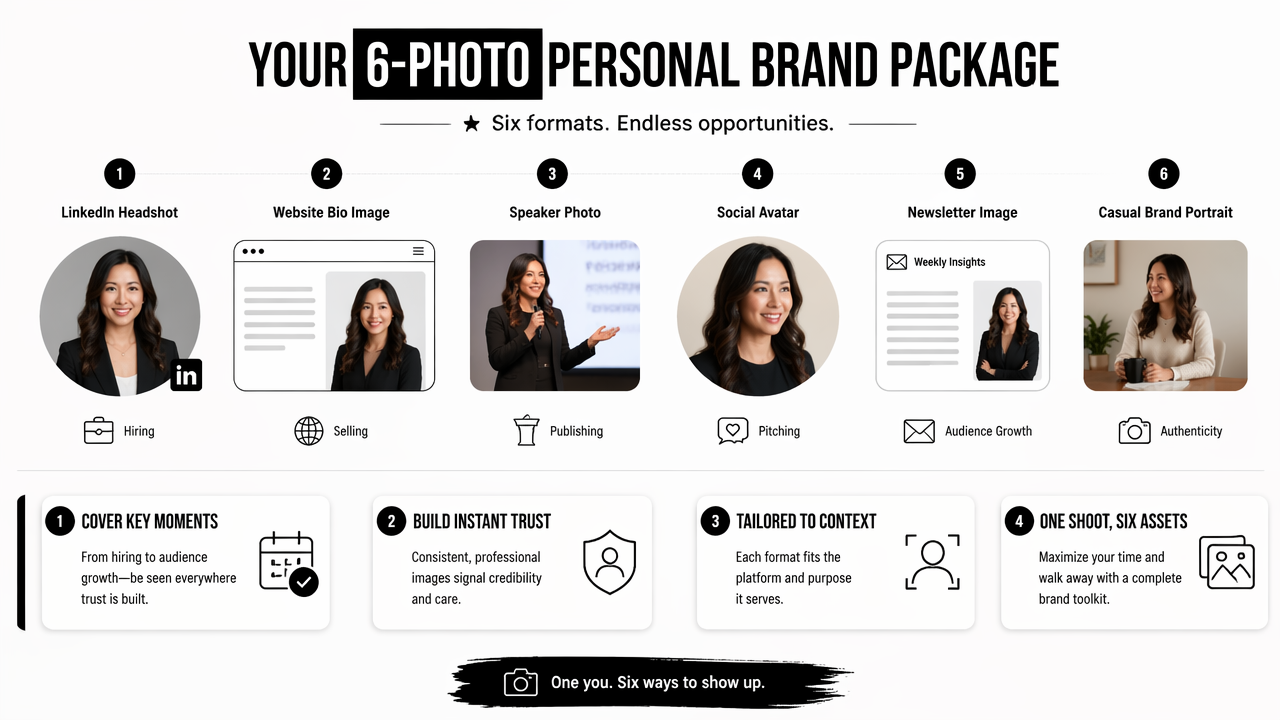
Each image should have a job. A LinkedIn image signals professionalism at small size. A speaker image needs resolution and authority. A casual portrait helps make content feel less staged.
Package rule: One portrait cannot serve every channel well because each platform crops, compresses, and frames faces differently.
Must-have shot list for entrepreneurs and creators
- Professional headshot: best for LinkedIn, resumes, online directories, and client proposals.
- Founder or website portrait: useful for about pages, personal sites, and service pages.
- Speaker image: built for podcast pages, event listings, webinars, and panels.
- Social avatar: designed for small circular crops and fast recognition in feeds.
- Newsletter portrait: ideal for author cards, email footers, and lead magnets.
- Casual brand image: suited for posts that need personality without looking careless.
Brand builders should also plan supporting formats. A founder using TikTok may need portrait-compatible thumbnails from a TikTok cover image generator. A consultant launching a webinar may need slides that match the same visual direction, such as AI pitch deck slide designs.
Simple workflow for building the package
- Define the brand role: job seeker, founder, coach, creator, consultant, or freelancer.
- List active channels: LinkedIn, website, newsletter, TikTok, Instagram, X, event pages, or dating apps.
- Choose visual direction: studio, editorial, warm professional, casual creative, or industry-specific.
- Create platform crops: square, vertical, horizontal, and tight circular-safe versions.
- Review realism: check facial consistency, hands, eyes, hairline, clothing, and background details.
- Refresh quarterly: update images when positioning, hairstyle, role, or offer changes.
A package becomes more useful when every image has a destination before generation starts. That planning reduces waste and keeps the final set from feeling random.
How Looktara handles custom AI portrait sets
Looktara helps turn personal brand needs into coordinated image sets that can support profiles, content, and campaign assets. The Looktara platform is most useful when a professional needs several polished looks around one identity rather than a single one-off profile picture.
A strong setup starts with the intended public image: credible, warm, expert, creative, approachable, premium, or energetic. From there, portraits can align with related content formats, including Pinterest pin creative for visual campaigns or social quote graphics that match a creator's tone.
Best-fit use case: Looktara works well for solo professionals who need a visual system for LinkedIn, a website, social publishing, and lightweight marketing materials.
The package approach also supports personal brand consistency. A consultant can use a formal headshot for LinkedIn, a relaxed portrait for newsletter intros, and a more editorial image for a speaking page while keeping lighting, colors, and overall tone related.
looktara.com can be used as a starting point when the goal is not only portrait generation, but a broader brand image set for public-facing work.
Decision guide for selecting image styles
| Brand goal | Better portrait direction | Avoid overusing |
|---|---|---|
| Job search | Clean studio, neutral background, direct expression | Highly stylized fashion looks |
| Founder credibility | Editorial business portrait, confident posture | Generic corporate stock-photo styling |
| Creator growth | Distinctive color, expressive face, recognizable crop | Too many unrelated aesthetics |
| Coaching or consulting | Warm, calm, approachable lighting | Overly dramatic shadows |
| Dating profile upgrade | Natural, friendly, realistic lifestyle portrait | Over-polished studio-only images |
The right style should match the trust signal required by the setting. A startup founder and a dating app user may both need attractive portraits, but the visual promise is different.
How can AI portraits stay authentic, consistent, and safe?
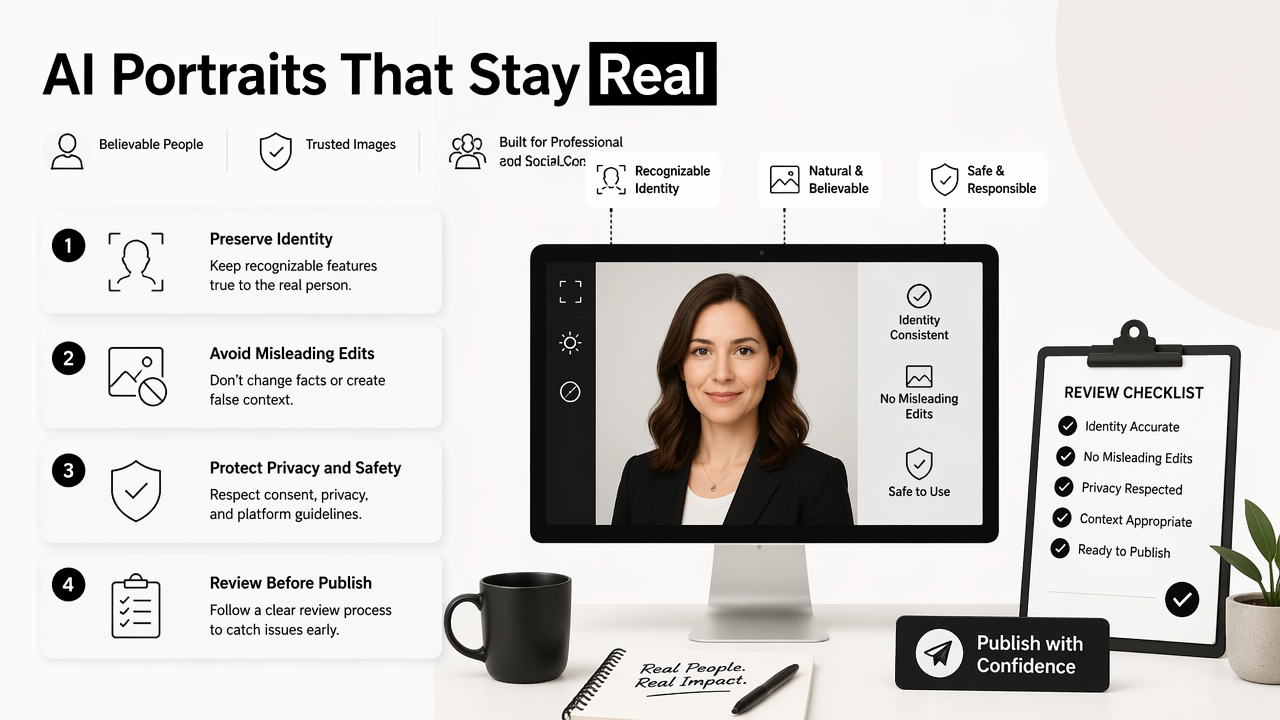
AI portraits stay authentic, consistent, and safe when they preserve recognizable identity, avoid misleading edits, and follow a clear review process before publication. The goal is not to create an unreal version of a person; the goal is to create polished images that still feel believable in professional and social contexts.
Research on synthetic media shows why review matters. A 2023 systematic review by Arash Heidari, Nima Jafari Navimipour, and Hasan Dağ examined deepfake detection using deep learning methods, while Mekhail Mustak, Joni Salminen, and Matti Mäntymäki discussed deepfake deception, mitigation, and opportunity in business settings. These studies focus on broader synthetic media, but the same caution applies to personal portraits.
A trustworthy portrait set should pass a basic identity test: colleagues, clients, or dates should recognize the person in real life. Skin texture can be cleaned up, lighting can improve, and backgrounds can change, but face shape and core features should remain grounded.
Credibility test: If the image would create surprise or distrust during a video call or in-person meeting, it has gone too far.
Quality checks before publishing AI portraits
- Face consistency: eyes, smile, jawline, and facial proportions should remain stable across the set.
- Hands and accessories: fingers, glasses, jewelry, and collars need careful review.
- Industry fit: a finance profile may need different styling from a creator or fitness coach profile.
- Crop safety: circular avatars should not cut off the chin, hair, or shoulders awkwardly.
- File readiness: keep high-resolution versions for media kits and compressed versions for social platforms.
- Disclosure judgment: when an image is heavily stylized, public context may require extra transparency.
Common mistakes include using too many unrelated backgrounds, selecting portraits that look younger than reality, or choosing expressions that do not match the person's normal communication style. The safest package feels improved, not invented.
FAQ about AI portrait packages in 2026
AI portrait packages in 2026 are best treated as practical brand assets, not novelty images. The right package can support hiring, sales, content, speaking, and audience-building when realism, consistency, and platform fit guide the final selection.
How many images should a personal branding package include?
Most professionals need 12 to 30 final portraits, depending on channel count and publishing frequency. A small set can cover LinkedIn, a website, and an email footer. A larger set works better for creators, speakers, founders, and consultants who need new visuals for campaigns, thumbnails, newsletter launches, and event listings.
Can AI portraits replace a professional photo shoot?
AI portraits can replace some routine profile updates, especially when speed, variety, or budget matters. Traditional photography still has value for press campaigns, group shots, product environments, and highly controlled editorial work. Many professionals now use both: AI for frequent brand refreshes and photography for major launches.
Are AI portraits acceptable for LinkedIn and resumes?
AI portraits are acceptable when they look realistic, current, and honest. A LinkedIn or resume image should resemble the person in a real meeting. Heavy age changes, exaggerated grooming, unrealistic clothing, or overly artificial studio effects can reduce trust, even when the image looks technically polished.
What should change in 2027 for AI personal brand photos?
AI portrait packages will likely become more channel-aware in 2027. Expect more tools to generate matched crops for LinkedIn, newsletters, short-form video covers, speaker pages, and creator storefronts from one visual direction. Stronger authenticity checks and clearer synthetic-media norms will also shape how professionals publish AI-assisted images.
Conclusion
A custom AI portrait package for personal branding should be planned like a small media kit: one identity, several use cases, and enough variety to stay fresh across platforms. The most useful set includes a LinkedIn headshot, website bio image, speaker photo, social avatar, newsletter portrait, and casual brand image.
The next step is simple: list every place where the portrait will appear, choose the trust signal needed for each platform, then create a coordinated set rather than isolated images. For creators building a broader content presence, matching portraits with assets such as an Instagram icon style system can keep the whole brand recognizable. For a portrait-led brand refresh, visit looktara.com and start with the channels that matter most this quarter.
Generated by EarlySEO.com