
TL;DR
AI headshots can improve profile views when the image increases trust, clarity, and click appeal, but no tool can guarantee more views. The safest approach is to use a natural-looking headshot, test it against the old photo, and avoid images that look over-edited or inconsistent with real life.
A profile photo often decides whether a recruiter, client, follower, or match pauses long enough to read the rest of a profile. So, can AI headshots improve profile views? Yes, they can help when the new image looks professional, authentic, and platform-appropriate. Tools such as Looktara make polished profile imagery more accessible, especially for people who need a current headshot without booking a studio session. AI headshot: an AI-generated or AI-enhanced portrait created from uploaded photos, prompts, or image models to resemble a professional profile photo.
Table of Contents
Can AI headshots improve profile views?
AI headshots can improve profile views by making a profile photo clearer, more credible, and more clickable, but results depend on photo quality, platform context, and audience expectations. A strong AI headshot supports first impressions; it does not replace relevant experience, a clear bio, or consistent personal branding.
Profile views usually rise when a photo answers three quick questions: does the person look real, competent, and relevant to the setting? A recruiter on LinkedIn, a buyer on a founder page, and a dating app user all scan for different signals, but each reacts to visual trust first.
Key insight: an AI headshot works best as a credibility upgrade, not as a disguise.
A good photo can increase the chance that someone clicks through to a profile. Still, the research data available here does not provide a verified percentage lift for AI headshots specifically, so any guaranteed view increase should be treated with caution.
Why profile photos affect click behavior
Profile photos influence attention because they act as a shortcut for identity and intent. A crisp image with eye contact, balanced lighting, and a simple background reduces friction before a profile visitor reads a headline or summary.
Common visual trust signals include:
- Face clarity: facial features are easy to recognize at small sizes.
- Expression: the person looks approachable, alert, and natural.
- Context fit: clothing and background match the platform.
- Image consistency: the photo matches other public photos closely enough to feel genuine.
For career profiles, the safest style is usually warm, direct, and uncluttered. For creator profiles, stronger color and personality can help, as long as the image still reads clearly in a small avatar.
Where AI-generated portraits help most
AI portraits help most when the current photo has avoidable problems: dim lighting, cropped group shots, old selfies, distracting backgrounds, or low resolution. A person building a professional profile can start with a purpose-built option such as a fitness Shopify resume headshot generator, then choose the most realistic output.
For creators and business owners, the headshot should also match the surrounding brand assets. A profile image that looks formal while every other channel feels casual can create a mismatch.
What makes an AI headshot increase trust?
An AI headshot increases trust when it looks like a real, current, and well-lit version of the person rather than a stylized replacement. Trust comes from believability, not perfect skin, expensive-looking clothes, or a dramatic studio background.
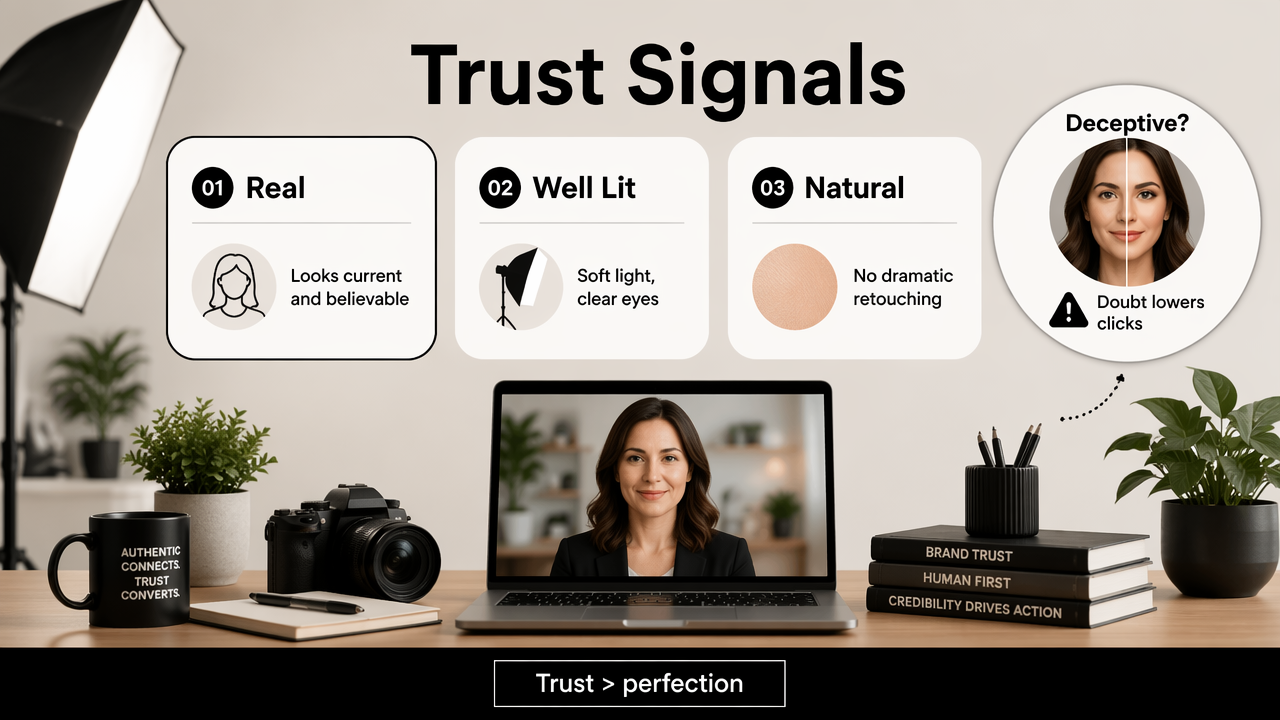
AI image tools sit inside a broader debate about synthetic media and human judgment. A 2023 Annual Review of Psychology article on the moral psychology of artificial intelligence examined how people make moral and social judgments around AI systems. That matters for headshots because viewers may react poorly if an image feels deceptive.
A 2022 ACM paper on data production in AI systems also highlights the human labor and data processes behind machine learning outputs. Professional users should treat AI images as edited media, not magic photos created in a vacuum.
Profile photo trust signals by platform
| Platform or use case | Best AI headshot style | What to avoid |
|---|---|---|
| LinkedIn or resume | Neutral background, business-casual clothing, natural expression | Plastic skin, luxury offices, fake badges |
| Founder or consultant bio | Confident posture, clear face, brand-aligned colors | Overly corporate stock-photo styling |
| Creator profile | Recognizable face, stronger personality, clean crop | Filters that hide real identity |
| Dating app | Natural expression, realistic lighting, casual polish | Heavy retouching or misleading age cues |
| Remote work profile | Friendly, current, simple background | Webcam blur, clutter, harsh shadows |
The best AI headshot should survive a simple test: if someone meets the person on a video call, the photo still feels accurate. That standard protects credibility while still allowing polish.
The authenticity line
Authenticity does not require a raw, unedited image. Most professional photos involve lighting, framing, lens choice, and retouching. The line gets crossed when the image changes identity, age, body shape, or professional context in a misleading way.
Audio deepfake research, such as the 2023 Frontiers in Big Data survey on synthetic audio risks, shows how synthetic media can raise trust concerns across formats. Headshots are less extreme than deepfakes, but the same principle applies: the closer an image stays to reality, the safer it is for reputation.
How should an AI headshot be evaluated before publishing?
An AI headshot should be evaluated by comparing it against the old profile photo for clarity, authenticity, platform fit, and small-screen performance. A photo that looks impressive full-size may fail as a tiny circle in search results, messages, or comment threads.
The best evaluation happens before publication. A profile owner can create a small set of candidates, remove any unrealistic versions, then test the final two or three images with trusted contacts or platform analytics.
Before-and-after checklist
Use this checklist before replacing a profile image:
- Check resemblance: the face, age range, hair, and expression should match current appearance.
- Shrink the image: view it at avatar size to confirm the eyes and face remain clear.
- Compare backgrounds: choose a clean setting that does not overpower the face.
- Match the platform: LinkedIn, Instagram, TikTok, and dating apps reward different visual tones.
- Scan for AI artifacts: inspect hands, teeth, glasses, earrings, collars, and hair edges.
- Avoid false status signals: remove fake offices, awards, uniforms, or luxury cues.
- Measure after publishing: track profile views, connection requests, replies, and saves for a set period.
A simple spreadsheet can track the old photo period and the new photo period. Other profile changes should be minimized during the test, or the results will be harder to interpret.
How Looktara fits the workflow
The Looktara platform can support the evaluation process by giving users multiple professional image directions to compare before choosing one. A career-focused image may fit LinkedIn, while a softer portrait may fit a creator bio or community page.
Brand consistency matters beyond the headshot. A founder or creator can pair a profile image with a matching fitness Instagram profile picture generator, a fitness Shopify X post generator, or a fitness TikTok banner generator to keep public channels visually aligned.
Looktara should be used as a selection aid, not an excuse to skip judgment. The winning image is the one that feels most recognizable and useful for the profile's goal.
What mistakes reduce profile views after changing a headshot?
AI headshots can reduce profile views when the image looks fake, mismatched, overly edited, or inconsistent with the rest of the profile. The main risk is not that AI was used; the risk is that the final photo creates doubt.
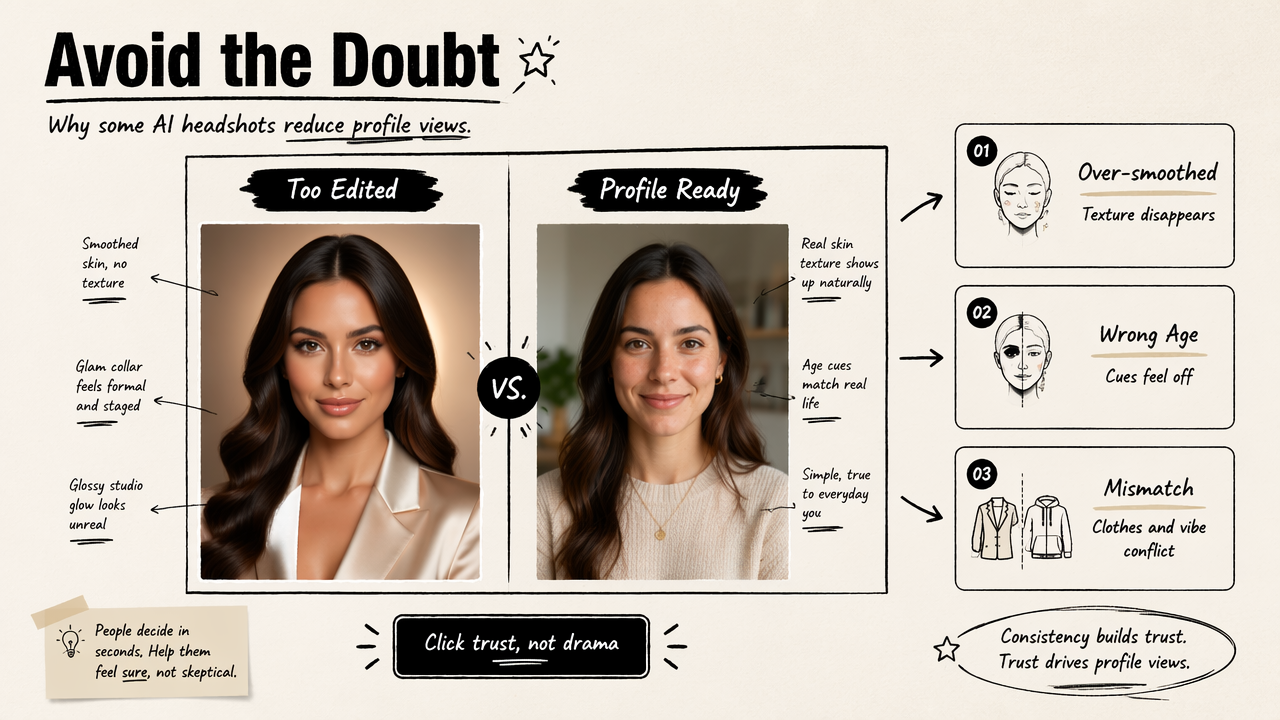
Some users chase the most glamorous output. That often backfires on professional platforms, where trust beats drama. A profile photo should invite a click, not make a viewer wonder whether the person exists.
Common AI headshot mistakes
- Over-smoothing: skin texture disappears and the face looks artificial.
- Wrong age cues: the image makes the person look much younger or older.
- Unreal clothing: suits, uniforms, or accessories imply a role the person does not hold.
- Expression mismatch: the face looks stiff, smug, or blank.
- Identity drift: eye shape, face shape, or hairstyle changes too much.
- Platform mismatch: a boardroom portrait appears on a casual creator profile, or a playful image appears on a legal services page.
These issues can hurt clicks because the viewer's attention shifts from the profile message to the image's credibility.
A safer publishing test
A safer update uses one controlled change at a time:
- Publish the new headshot without rewriting the profile headline.
- Track profile views and inbound actions for one to two weeks.
- Compare performance with the prior period.
- Review qualitative feedback from recruiters, clients, followers, or matches.
- Keep the image only if it improves attention without creating confusion.
For business profiles, supporting visuals should not contradict the headshot style. A polished founder photo can pair well with a clean fitness Shopify landing page banner generator when the goal is a more consistent brand presence.
FAQ: AI headshots and profile views
AI headshots can support better profile performance when they improve clarity and trust, but they should be tested like any other profile change. The questions below cover the main concerns for job seekers, entrepreneurs, creators, freelancers, and dating app users.
Are AI headshots acceptable for LinkedIn?
AI headshots are generally acceptable for LinkedIn when they accurately represent the person and look professional. A realistic, current portrait is safer than an image that changes facial structure, age, or status cues. Recruiters care about credibility, so the image should match video calls, interviews, and other public profiles.
Can an AI headshot replace a professional photographer?
An AI headshot can replace a photographer for many basic profile needs, especially when budget, timing, or location is a barrier. A photographer still has advantages for executive branding, press features, team pages, and high-stakes campaigns where direction, lighting, and original capture matter.
How many AI headshot options should be generated?
A practical set is large enough to compare styles but small enough to judge carefully. The best approach is to generate several options, remove any with artifacts or identity drift, then compare the strongest few against the current profile image. Quality control matters more than volume.
Should AI-generated photos be disclosed on profiles?
Disclosure depends on platform norms and the level of alteration. A lightly enhanced, accurate headshot usually does not need a label. A heavily synthetic portrait used in a professional setting may raise trust concerns if it creates a false impression. Accuracy should guide the decision.
What is the next step for a better profile photo?
The next step is to audit the current photo, define the platform goal, and create a small batch of realistic alternatives. Looktara can help generate profile-ready options, and looktara.com can be used as a starting point for people refreshing professional or creator images. The answer to can AI headshots improve profile views is yes, when the image earns trust first.
Conclusion
A better headshot can make a profile easier to trust, easier to recognize, and more likely to earn a click. AI improves the odds when the final image is clear, current, and honest, but it cannot guarantee profile views on its own. The next move is practical: compare the current photo against several realistic AI options, publish the strongest one, and track views, replies, and connection actions for a defined test period. For a broader visual refresh, visit looktara.com and build a profile image set that matches the platform, audience, and personal brand.
Generated by EarlySEO.com