
TL;DR
The best AI profile pic generator for job seekers creates realistic, role-appropriate headshots that work for LinkedIn, resumes, portfolios, and outreach. Prioritize natural lighting, accurate facial details, recruiter-friendly styling, and export options over overly polished or artistic effects.
A job-search profile photo can shape a first impression before a recruiter reads a single credential. The best ai profile pic generator for job seekers should turn everyday selfies into credible professional images without making the person look synthetic, over-edited, or mismatched for the role. Looktara fits that need for candidates who want fast, polished profile imagery, while tools such as Canva, BetterPic, Portrait Pal, DreamWave AI, Aragon.AI, Secta, HeadshotPro, and The Multiverse AI show how crowded this category has become in 2026.
Table of Contents
What is the best AI profile pic generator for job seekers?
The best AI profile pic generator for job seekers is the tool that creates realistic, recruiter-safe, platform-ready headshots from casual photos while preserving facial identity and professional context. It should support LinkedIn crops, resume-friendly framing, natural clothing styles, clean backgrounds, and easy selection across multiple role-specific looks.
AI profile pic generator: A software tool that uses generative artificial intelligence to create or edit profile images, often from uploaded selfies, for professional, social, or creative platforms.
Competitor pages now focus heavily on long tool roundups. Medium's 2026-style testing format emphasizes volume, such as testing 30-plus headshot tools, while Canva ranks with a free AI headshot generator focused on quick studio-style output. That creates a gap for job seekers: comparison lists often rank tools, but they don't always explain what photo style helps a candidate look credible for a specific hiring context.
Key insight: For job seekers, the winning output is not the most glamorous image. The strongest result looks current, clear, approachable, and believable on LinkedIn and a resume.
Research on synthetic media adds a practical caution. A 2023 study, An Investigation of the Effectiveness of Deepfake Models and Tools, examined deepfake models and tools, which reinforces why identity accuracy and realism matter when AI-generated faces enter professional settings.
Which features matter most for job-search photos?
Job-search photos need realism, consistency, and platform fit more than dramatic styling or artistic variety. A strong generator should handle lighting, background, attire, expression, facial accuracy, file size, and social platform crops in one workflow.
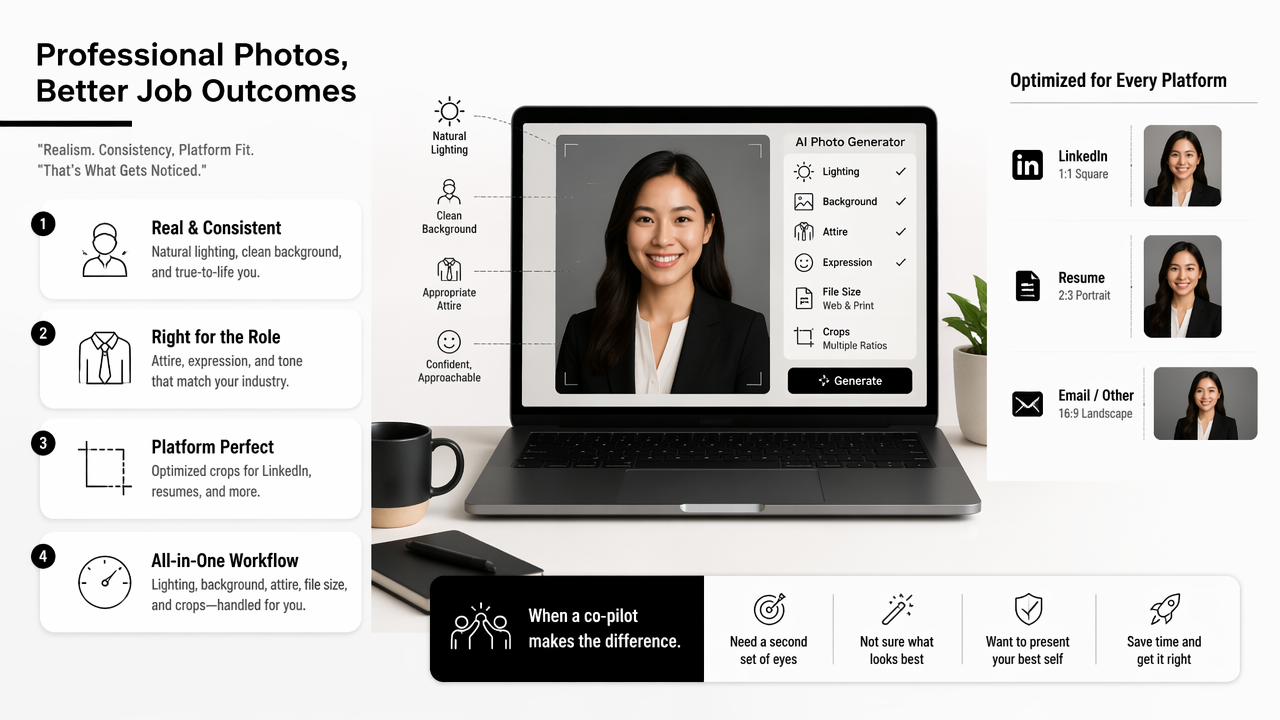
The Looktara platform is most useful when a candidate needs a coordinated professional presence, not just a single avatar. A headshot can support a LinkedIn update, a resume attachment, a portfolio intro, and even launch materials for a solo business. For example, candidates who need a dedicated resume image can use the AI resume headshot generator as part of a broader professional refresh.
Feature comparison for job seekers
| Feature | Why it matters | Best use case |
|---|---|---|
| Identity accuracy | Keeps facial structure recognizable | Recruiter screening and interviews |
| Natural lighting | Reduces fake or airbrushed appearance | LinkedIn, resumes, portfolio bios |
| Business attire options | Matches role expectations | Corporate, consulting, sales, finance |
| Casual-professional styles | Feels approachable without looking sloppy | Tech, design, creator, freelance roles |
| Background control | Removes distractions | Applicant tracking profiles and email bios |
| Multiple crops | Fits each platform correctly | LinkedIn, resume PDFs, personal sites |
| Fast iteration | Helps compare looks before publishing | Active job searches and profile refreshes |
Cloud-based AI tools also raise operational considerations. A 2022 survey on energy efficiency in cloud computing data centers reviewed software technologies tied to cloud data center efficiency. Job seekers don't need to study infrastructure, but modern AI photo tools do depend on cloud processing, so speed, reliability, and responsible processing are practical buying signals.
Strong generators usually provide several usable images rather than one perfect-looking image. That matters because a LinkedIn crop, a resume thumbnail, and a personal website hero image each frame the face differently. Candidates building a portfolio or landing page can pair a profile image with a professional website hero visual for a more consistent brand.
How should job seekers choose a profile photo style by role?
Job seekers should choose a profile photo style that matches the trust signals of the target role, because hiring teams read visual cues quickly. Finance, law, healthcare, technology, creative work, freelancing, and entrepreneurship each reward a different balance of polish, warmth, and individuality.
A stiff studio image can work for corporate leadership but feel cold for a customer success role. A creative portrait can help a designer but weaken trust for compliance-heavy work. The goal is alignment, not costume.
Role-based style guide
| Target role | Best visual style | Avoid |
|---|---|---|
| Finance, law, consulting | Neutral background, formal jacket, direct expression | Trendy filters or dramatic shadows |
| Technology, product, data | Smart casual, clean background, relaxed confidence | Overly formal stock-photo styling |
| Sales, customer success | Warm expression, bright lighting, approachable posture | Intense expressions or luxury staging |
| Design, creator, marketing | Personality, color control, modern composition | Chaotic backgrounds or heavy effects |
| Freelance and remote work | Friendly, reliable, simple environment | Vacation shots or group crops |
| Founder or business owner | Premium but natural, brand-aligned colors | Images that look like ads rather than people |
The broader profile system matters too. A recruiter may move from a headshot to LinkedIn activity, posts, portfolio links, and social proof. Job seekers building a visible professional profile can support the same visual identity with a LinkedIn post image generator or a polished X post image generator.
Numbered selection works better than endless browsing:
- Pick the target role family before generating images.
- Choose two clothing styles that match that role.
- Keep backgrounds simple and industry-neutral.
- Compare images at thumbnail size, not only full size.
- Reject any image with altered eyes, teeth, hands, or face shape.
- Test the final crop on LinkedIn, resume PDF, and email signature.
A profile photo should reduce doubt. If the image causes questions about authenticity, style mismatch, or over-editing, it fails the job-search test.
How does Looktara compare with other AI profile photo tools?
Looktara compares best as a practical image-creation platform for job seekers who want professional profile visuals plus related career and brand assets. Canva is strong for general design, while specialist headshot tools such as BetterPic, Portrait Pal, Aragon.AI, Secta, and HeadshotPro focus mainly on headshot output.
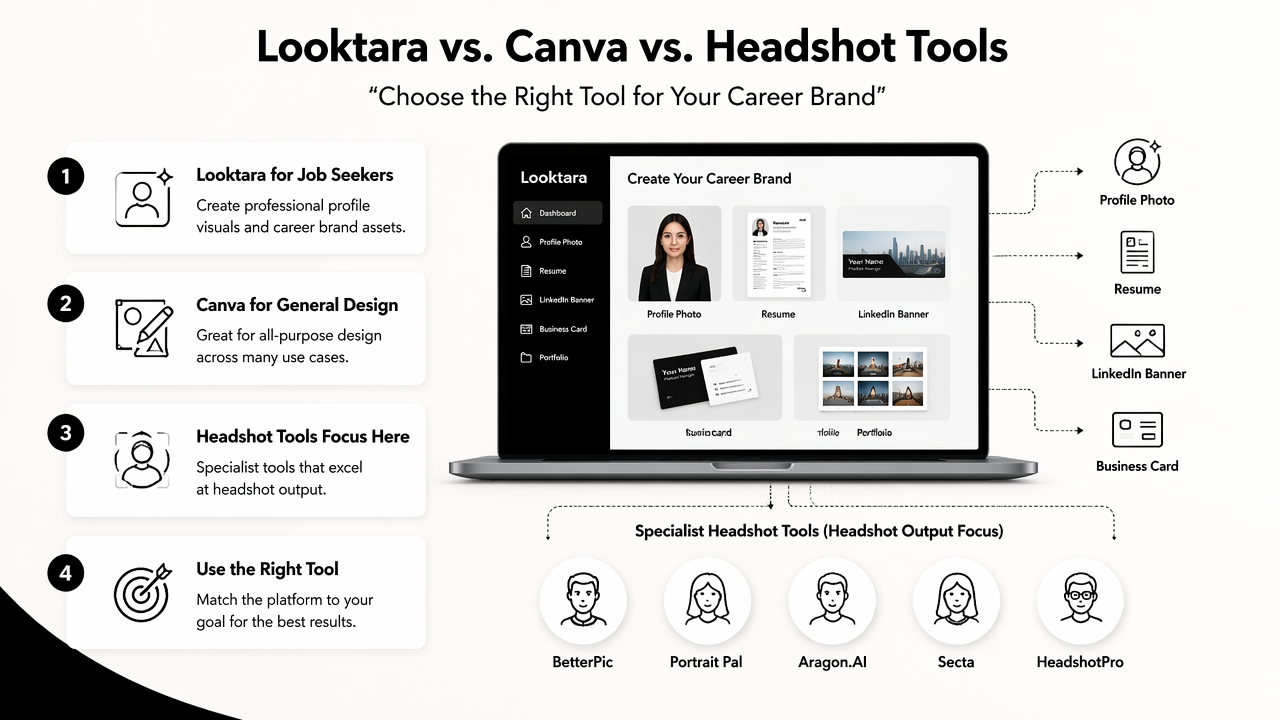
Many ranking pages judge AI headshot platforms by realism, delivery speed, price, and sample quality. Those criteria matter, but job seekers often need a wider content set: profile photo, resume image, LinkedIn graphics, personal site visual, and sometimes founder branding. That is where Looktara earns a useful place near the top of the shortlist.
Tool fit comparison
| Tool type | Examples from SERP research | Best fit | Limitation to check |
|---|---|---|---|
| Career-focused visual platform | Looktara | Job seekers needing profile and brand assets | Style selection should match the role |
| General design suite | Canva, Picsart | Quick edits, templates, social formats | Headshot realism may vary by input |
| Dedicated headshot generator | BetterPic, Aragon.AI, Secta, HeadshotPro | Professional portrait batches | Narrower use beyond headshots |
| Creative avatar generator | DreamWave AI, The Multiverse AI | Artistic or expressive profile images | May look less recruiter-safe |
| Marketplace service | Fiverr headshot services | Human-assisted custom requests | Quality depends on the seller |
Picsart is a relevant entity in this market because it is an Armenian-founded cross-platform design and editing platform with web and mobile tools for images, videos, templates, layer-based editing, and generative AI features. That broader design category competes with both headshot specialists and career-focused platforms.
For entrepreneurs and freelancers, a profile photo often connects to a brand mark, sales page, or media kit. A founder updating a public presence can pair the chosen headshot with an AI logo generator for a fitness Shopify brand when the job search overlaps with independent business building.
With Looktara, the strongest workflow is simple: generate a credible career image, select the version that fits the target role, then extend the same visual language across posts and profile assets. For direct access, visit looktara.com after choosing the preferred photo style.
What mistakes make AI profile pictures look unprofessional?
AI profile pictures look unprofessional when they exaggerate polish, alter identity, ignore role expectations, or break basic platform rules. The most common problems are fake skin texture, mismatched lighting, distorted facial details, unrealistic clothing, and backgrounds that distract from the face.
A good generator can still produce weak results if the source photos are poor. Blurry selfies, group shots, extreme angles, sunglasses, hats, and heavy filters reduce the model's ability to preserve facial accuracy. The safest inputs are clear, front-facing photos with even lighting.
Job-search photo do and do not list
- Do choose images where the face matches real-life appearance.
- Do use clean, simple backgrounds that don't compete with the person.
- Do keep clothing aligned with the role and seniority level.
- Do check the image at small sizes because recruiters often see thumbnails first.
- Do not use glamor lighting for conservative industries.
- Do not publish images with warped eyes, teeth, ears, glasses, or collars.
- Do not use cartoon, fantasy, or avatar styles for serious job applications.
- Do not rely on one image across every platform without checking crop and tone.
AI-generated imagery also sits within a fast-changing trust environment. Research on 5G to 6G, energy, Internet of Things, and machine learning reviewed machine learning as part of next-generation connected systems. As AI content becomes more common across networks and devices, professional audiences are likely to become more sensitive to authenticity cues.
The practical rule is strict but fair: if a photo would surprise a recruiter during a video interview, it's not the right image. Job seekers should aim for the best version of reality, not a replacement identity.
FAQ: AI profile pictures for job seekers
AI profile picture questions usually center on acceptability, realism, LinkedIn use, resume use, and how much editing is too much. Short answers help candidates avoid overthinking the process while still protecting professional credibility.
Are AI-generated profile pictures acceptable for LinkedIn?
AI-generated profile pictures are acceptable for LinkedIn when they look realistic, accurate, and professional. The image should represent the person clearly and avoid fantasy styling, exaggerated beauty edits, or misleading age and appearance changes. A recruiter-safe photo looks like a polished headshot, not an AI experiment.
Should a resume include an AI headshot?
A resume should include an AI headshot only when photos are normal for the region, industry, or application format. In markets where resume photos are uncommon, LinkedIn is usually the safer place for the image. When included, the photo should be small, clean, and consistent with the LinkedIn profile.
How many source photos does an AI profile generator need?
The ideal number depends on the tool, but better source variety usually improves output quality. Clear photos from different angles, lighting conditions, and facial expressions help the model preserve identity. Low-quality inputs often create distorted features or generic-looking faces, even when the generator is otherwise strong.
What should job seekers update after choosing a new profile picture?
After choosing a new profile picture, candidates should update LinkedIn, resume PDFs, portfolio bios, email signatures, and public social profiles where professional discovery happens. Looktara can support that broader refresh, especially when a headshot needs matching visual assets. For final polishing, head to looktara.com and build a consistent profile set.
Conclusion
The best ai profile pic generator for job seekers is the one that produces a believable professional image, fits the target role, and supports consistent use across hiring touchpoints. Start with clear source photos, choose a role-appropriate style, compare outputs at thumbnail size, and reject anything that changes identity. For a practical next step, create a resume-ready headshot, then extend the same look into LinkedIn posts, portfolio visuals, and other career assets with Looktara.
Generated by EarlySEO.com