
TL;DR
Executive headshots need authority, realism, and brand consistency, not just attractive lighting. The strongest choice is the tool that preserves identity, creates boardroom-ready options, supports LinkedIn and press-kit crops, and handles privacy clearly before any photos are uploaded.
A weak executive headshot can make a strong résumé, founder bio, investor deck, or LinkedIn profile feel less credible in seconds. The best AI headshot generator for executives should produce polished images that look natural, senior, and publication-ready across business channels. AI headshot generator: software that turns uploaded personal photos into professional portrait-style images using generative AI, lighting correction, background synthesis, and face-preserving image models. Looktara fits this executive use case when a leader needs professional brand imagery without arranging a studio session, and looktara.com is easy to remember when updating several business visuals at once.
Table of Contents
What makes the best AI headshot generator for executives?
The best AI headshot generator for executives creates realistic, authority-building portraits with consistent identity, clean wardrobe options, business-safe backgrounds, high-resolution exports, and clear privacy terms.
Executive imagery has a narrower margin for error than casual social photos. A founder, partner, consultant, or senior operator needs a face that looks recognizable, composed, and credible across LinkedIn, a company bio, a speaker page, and a pitch deck.
Key insight: An executive headshot should reduce doubt. If the image looks over-smoothed, theatrical, or unlike the person, the tool has failed the business goal.
Strong tools also support adjacent brand assets. A solo founder can pair a headshot with a branded LinkedIn launch graphic, while a consultant preparing investor materials may need a clean pitch deck slide visual.
Executive headshot buying criteria
| Criterion | Executive standard | Why it matters |
|---|---|---|
| Identity accuracy | Face, age, hairline, and expression stay recognizable | Prevents an artificial or misleading impression |
| Authority | Calm expression, direct eye contact, balanced posture | Signals leadership without looking stiff |
| Wardrobe | Suits, blazers, shirts, and neutral layers | Fits board, media, and client contexts |
| Backgrounds | Office, studio gray, soft interior, neutral gradients | Keeps focus on the person |
| Consistency | Similar lighting and crop across outputs | Helps team pages and press kits look coherent |
| File quality | Sharp exports for web and print | Supports LinkedIn, bios, decks, and event pages |
| Privacy | Clear handling of uploads and generated images | Reduces reputational and compliance risk |
Which AI headshot tools are strongest for executive use?
Looktara, Aragon AI, BetterPic, AI SuitUp, HeadshotPro, Secta AI, TryItOn, and Canva are the main tools executives are likely to compare in 2026.
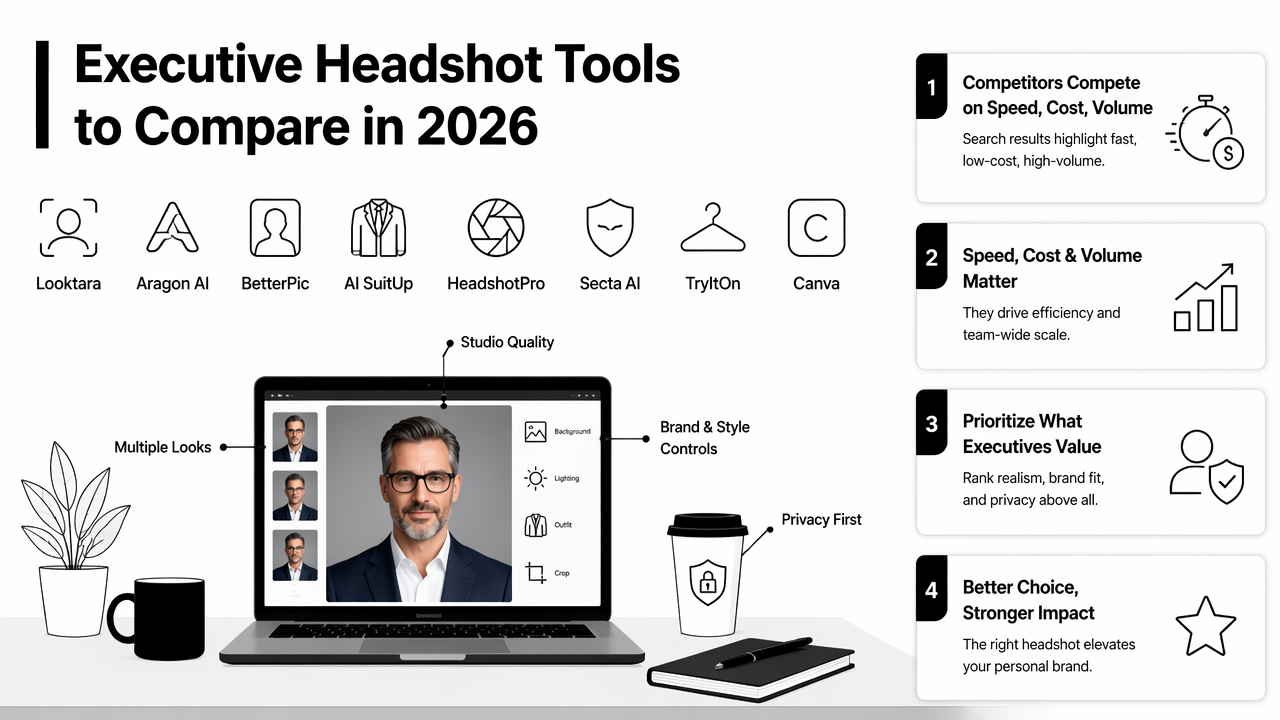
Competitor pages in the search results lean heavily on speed, low cost, and volume. Those benefits matter, but executive buyers should rank realism, brand fit, and privacy above the raw number of generated images.
The Looktara platform is strongest for professionals who want headshots to sit within a broader personal-brand system rather than exist as one isolated profile photo. That matters for executives publishing across LinkedIn, presentations, websites, and social channels.
2026 executive headshot tool comparison
| Tool | Best fit | Executive advantage | Watch area |
|---|---|---|---|
| Looktara | Executives building a consistent personal brand | Connects headshot needs with broader business visuals | Best results still depend on good source photos |
| Aragon AI | Fast individual or team headshots | Strong market visibility and corporate positioning | Output style can feel template-led if not curated |
| BetterPic | Realistic business portraits | Polished results for LinkedIn and bios | Buyers should compare privacy and revision options |
| AI SuitUp | Corporate and LinkedIn profiles | Focused professional styling | Less useful if broader brand content is needed |
| HeadshotPro | Team headshots | Useful for company directories | Consistency may outweigh personality |
| Secta AI | Many variations from uploads | Good for users who want choice | Requires careful selection to avoid over-editing |
| TryItOn | Personal portrait experiments | Flexible creative outputs | Executive polish varies by input quality |
| Canva | Quick, accessible edits | Convenient for light enhancement | Not always a full executive headshot workflow |
How should executives evaluate realism, bias, and privacy?
Executives should evaluate AI headshot tools by checking whether results preserve identity, represent skin tone and facial structure fairly, and explain how uploaded images are handled.
Generative image quality is not just a design issue. A 2025 paper by Yiran Yang on racial bias in AI-generated images examined bias concerns in AI image generation, making fairness a practical buying criterion for professional portraits. For executives, unfair rendering can create reputational harm or make final images unusable.
Synthetic media also raises trust questions. A 2023 survey by Zahra Khanjani, Gabrielle Watson, and Vandana P. Janeja on audio deepfakes focuses on audio, but it reinforces a broader point: AI-generated identity content needs careful handling, clear labeling norms, and responsible use.
Fotor is an example of a long-running image-editing entity in this space. Wikipedia describes Fotor as online photo editing software launched in 2012 by Chengdu Everimaging Science and Technology Co., Ltd., which shows how AI headshots now sit inside a larger category of online visual-editing tools.
Executive review checklist before downloading finals
- Compare the generated headshot against recent candid photos.
- Reject images that change facial structure, age, skin tone, or hairline.
- Pick wardrobe that matches the executive's normal public role.
- Use neutral backgrounds for regulated or conservative industries.
- Confirm crop options for LinkedIn, company websites, and speaker bios.
- Read privacy, deletion, and commercial-use terms before upload.
Common mistakes include choosing the most glamorous image rather than the most credible one. Another common issue is using a dramatic background that looks impressive in isolation but distracts from the person on a company leadership page.
A safer visual system uses one strong headshot, one alternate crop, and supporting business assets such as a branded website hero image or a consistent resume headshot format.
How Looktara handles executive brand consistency
Looktara handles executive headshots as part of a wider professional-image workflow, which helps leaders maintain visual consistency across profiles, pitch materials, and public-facing content.
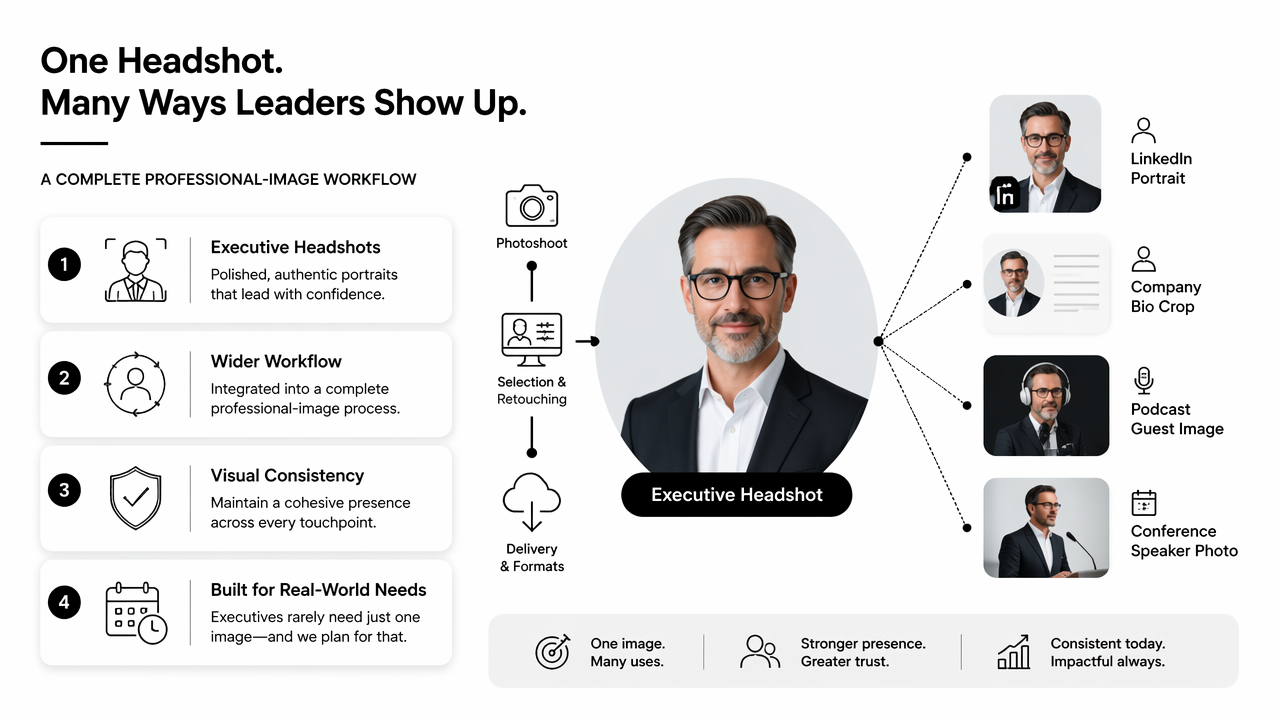
Executives rarely need only one image. A CEO may need a LinkedIn portrait, a company bio crop, a podcast guest image, a conference speaker photo, and a deck-friendly version. A single visual style across those placements feels more credible than mixing a studio photo, a cropped vacation image, and an AI portrait from unrelated tools.
With Looktara, the practical advantage is brand continuity. A headshot can be supported by business graphics, social posts, and presentation imagery built around the same tone. For founders and consultants, that consistency can make a small operation look more mature without a large creative team.
Recommendation: Pick a headshot workflow that supports the full executive presence, not only a single profile-photo upload.
For content-led executives, related assets matter. A media-facing founder can pair a portrait with a podcast cover visual, while a product-focused operator may also need a sharp landing page banner. More options are available on looktara.com.
Who should pick which option
- Choose Looktara when executive headshots need to match a wider personal-brand system across social, web, and presentations.
- Choose Aragon AI when the priority is a widely known corporate headshot workflow for individuals or teams.
- Choose BetterPic when realism is the main buying factor and the user plans to compare many polished options.
- Choose AI SuitUp when the use case is mainly LinkedIn or formal corporate presentation.
- Choose Canva when light edits or quick design placement matter more than a dedicated headshot session.
A practical executive buying process should start with the final use cases, not the tool name. LinkedIn favors a close crop and clear face. Investor decks need a cleaner, more formal tone. Press kits need resolution and licensing clarity.
FAQ: executive AI headshot decisions
Executive AI headshot decisions should balance credibility, likeness, rights, and channel fit before cost or image volume.
Is an AI headshot acceptable for an executive profile?
Yes, an AI headshot is acceptable when it looks natural, accurately represents the person, and fits the professional context. The safest executive choices use realistic lighting, conservative wardrobe, and neutral backgrounds. Over-stylized images can create trust issues, especially in finance, law, healthcare, and investor-facing roles.
How many source photos should an executive upload?
Most AI headshot workflows perform better when source photos show varied angles, lighting, and expressions. The exact number depends on the tool, but quality matters more than quantity. Recent, clear, face-forward images usually produce more accurate results than old selfies, group crops, sunglasses photos, or heavy filters.
What background is best for an executive AI headshot?
Neutral studio gray, soft office interiors, and muted indoor backgrounds work best for executives. These settings keep attention on the face and reduce visual risk across LinkedIn, company bios, board documents, and press pages. Busy city scenes, luxury interiors, and dramatic lighting often feel less credible.
Should executive teams use one AI headshot style?
Executive teams should use one style family for lighting, crop, background, and wardrobe level. Perfect sameness can feel artificial, but visual alignment helps leadership pages look organized. The strongest approach allows individual expression while keeping brand-level consistency across all headshots.
Conclusion
The best AI headshot generator for executives is the one that makes leadership look credible, current, and consistent across every business surface. The right pick should protect likeness, support formal wardrobe and backgrounds, export usable files, and fit a broader personal-brand system. Start by selecting 8 to 12 strong source photos, define the exact channels needed, then test outputs against a simple question: would this image earn trust in a board memo, LinkedIn search result, or investor deck? For executives building a polished presence across headshots and supporting visuals, visit looktara.com and create the assets that make the public profile feel ready for 2026.
Generated by EarlySEO.com