
TL;DR
AI photo generators help creators produce profile photos, campaign visuals, and channel-specific assets faster, but the best results still need clear style direction and human review. Creators should match image style to platform intent: polished for LinkedIn, expressive for TikTok and Instagram, and clear for thumbnails or ads.
A strong profile photo now works like a small landing page, especially for creators competing across LinkedIn, Instagram, TikTok, YouTube, X, and dating apps. An artificial intelligence photo generator for social media creators can turn a simple set of selfies, prompts, or brand cues into polished images for profile photos, banners, thumbnails, posts, and ads. Looktara is built for that practical creator workflow, from professional headshots to social-ready visuals, while tools such as an AI resume headshot generator support career-focused profiles.
Table of Contents
What is an artificial intelligence photo generator for social media creators?
An artificial intelligence photo generator for social media creators is software that uses AI models to create or enhance images for profile photos, posts, thumbnails, banners, and brand assets. It may generate images from text prompts, transform uploaded photos, or produce channel-specific variations for different audiences.
Artificial intelligence: AI is the capability of computational systems to perform tasks linked to human intelligence, including learning, reasoning, perception, and problem-solving.
AI art: AI visual art is imagery generated or enhanced through artificial intelligence programs, most often using text-to-image systems.
Key insight: Creator images should not only look good; they should signal trust, niche, personality, and platform fit in less than a second.
AI photo tools sit between traditional photography, design software, and social media scheduling. Canva, Adobe Firefly, and general image generators focus broadly on visual content. Creator-focused workflows need a narrower goal: consistent identity across platforms without making every image look like the same avatar.
Research in computer vision helps explain the jump in image quality. A 2022 survey on deep residual learning by Muhammad Shafiq and Zhaoquan Gu examined image recognition techniques that shaped modern visual AI systems in Applied Sciences. Generative tools build on related advances, though creator judgment still determines whether an image feels credible.
Which creator photo style fits each social platform?
Creator photo style should match the platform's social contract: LinkedIn rewards trust, Instagram rewards visual identity, TikTok rewards personality, YouTube rewards clarity, X rewards recognizability, and dating apps reward authenticity.
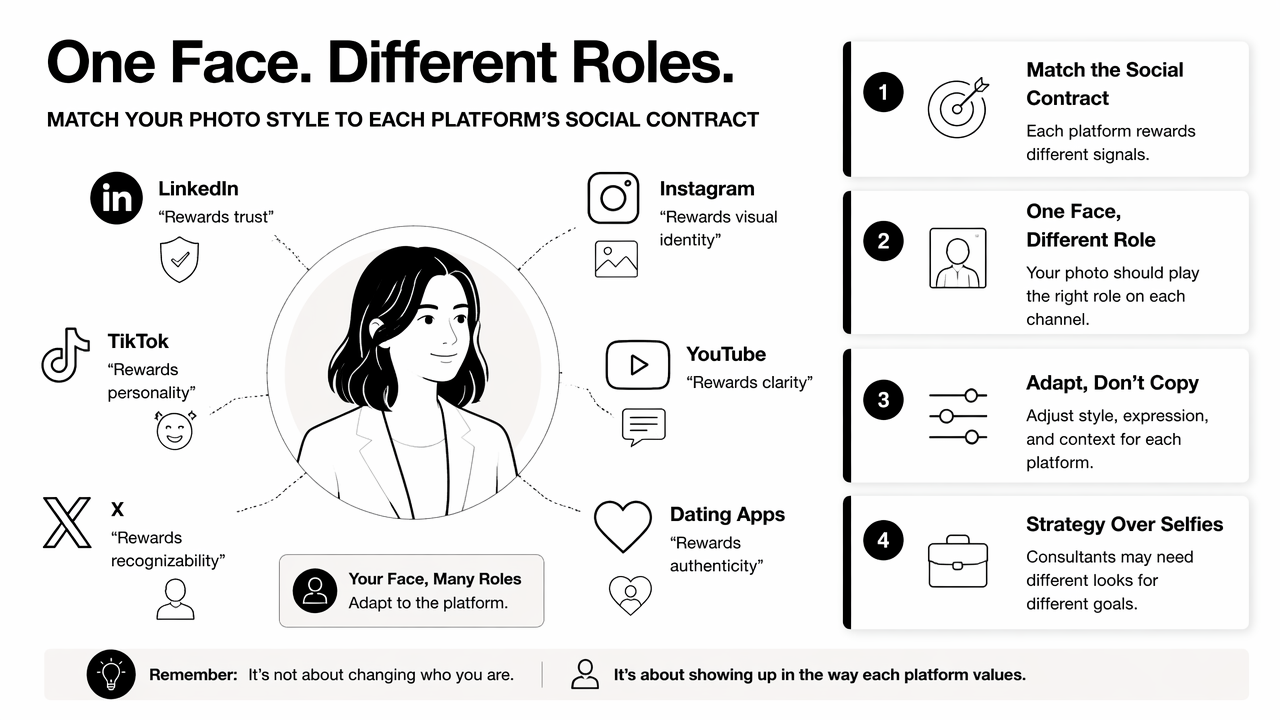
A creator's face can play different roles across channels. A consultant may need authority on LinkedIn, approachability on Instagram, and bold contrast on YouTube. The same person can keep a consistent look while changing crop, expression, background, and image purpose.
Platform photo style comparison
| Platform | Best image style | Best use case | Practical creator tip |
|---|---|---|---|
| Polished, clear, confident | Career profile, founder brand, expert content | Use soft lighting, direct eye contact, and simple backgrounds | |
| Editorial, lifestyle, expressive | Personal brand, creator grid, sponsored content | Keep color palette consistent across posts and highlights | |
| TikTok | Energetic, human, casual | Short-form creator identity | Use a photo that reads clearly at small size |
| YouTube | High-contrast, expressive | Channel icon, thumbnail face, podcast clips | Pair face direction with readable text and strong framing |
| X | Minimal, recognizable, crisp | Thought leadership, commentary, launches | Avoid busy details that disappear in the feed |
| Aspirational, vertical, niche-specific | Style boards, product pins, educational visuals | Use a clean composition that supports text overlays | |
| Dating apps | Warm, natural, realistic | First-impression profile photos | Keep skin texture and facial features believable |
LinkedIn is the best place for a professional AI-assisted portrait, especially for job seekers, founders, consultants, and remote workers. A creator building career authority can pair a strong headshot with a matching LinkedIn post image workflow to keep profile and content visuals aligned.
Visual-first platforms need more range. Pinterest favors vertical, idea-led images, so a creator promoting workouts, products, or guides may need branded pins from a Pinterest Pin AI generator. YouTube needs readable faces and contrast, which makes a YouTube thumbnail AI generator more useful than a generic art tool.
X rewards fast recognition. A creator using text-led commentary or launch content can keep a consistent face image while creating post graphics through an X post AI generator.
How should creators use AI photo tools without losing authenticity?
Creators should use AI photo tools by starting with a clear identity goal, choosing realistic source photos, setting platform-specific outputs, checking facial accuracy, and keeping a consistent visual system across channels.
- Define the role of the image: profile trust, campaign promotion, thumbnail attention, or dating-app warmth.
- Start with clear source images, varied angles, and natural expressions when the tool supports uploads.
- Pick one style direction, such as professional, editorial, casual, sporty, or founder-led.
- Generate several variations for each platform crop.
- Reject images with distorted hands, unnatural skin, mismatched facial features, or over-smoothed expressions.
- Save final images in a simple brand kit with colors, crops, and usage notes.
Authenticity depends on recognizability. A profile photo can be improved by AI and still remain honest if the person remains clearly identifiable. Over-editing creates friction when followers, clients, recruiters, or dates meet the person on video or in real life.
A good rule is to separate enhancement from invention. Better lighting, cleaner backgrounds, sharper crops, and polished wardrobe choices usually help. A different face shape, impossible body proportions, or fake lifestyle signals usually hurt credibility.
For professional creators, consistency matters more than novelty. Generative AI has also entered work and hiring conversations; a 2023 paper by Pawan Budhwar, Soumyadeb Chowdhury, and Geoffrey Wood examined generative AI and human resource management research directions in the Human Resource Management Journal. That context matters because AI-assisted professional images now appear in resumes, portfolios, founder pages, and recruiting funnels.
Practical rule: AI can polish the presentation, but the image still has to match the real person, the real offer, and the real platform audience.
How Looktara supports creator profile imagery in 2026
The Looktara platform supports creator imagery by focusing on practical social outputs: professional headshots, brand visuals, platform-specific content assets, and repeatable image styles for people who publish often.
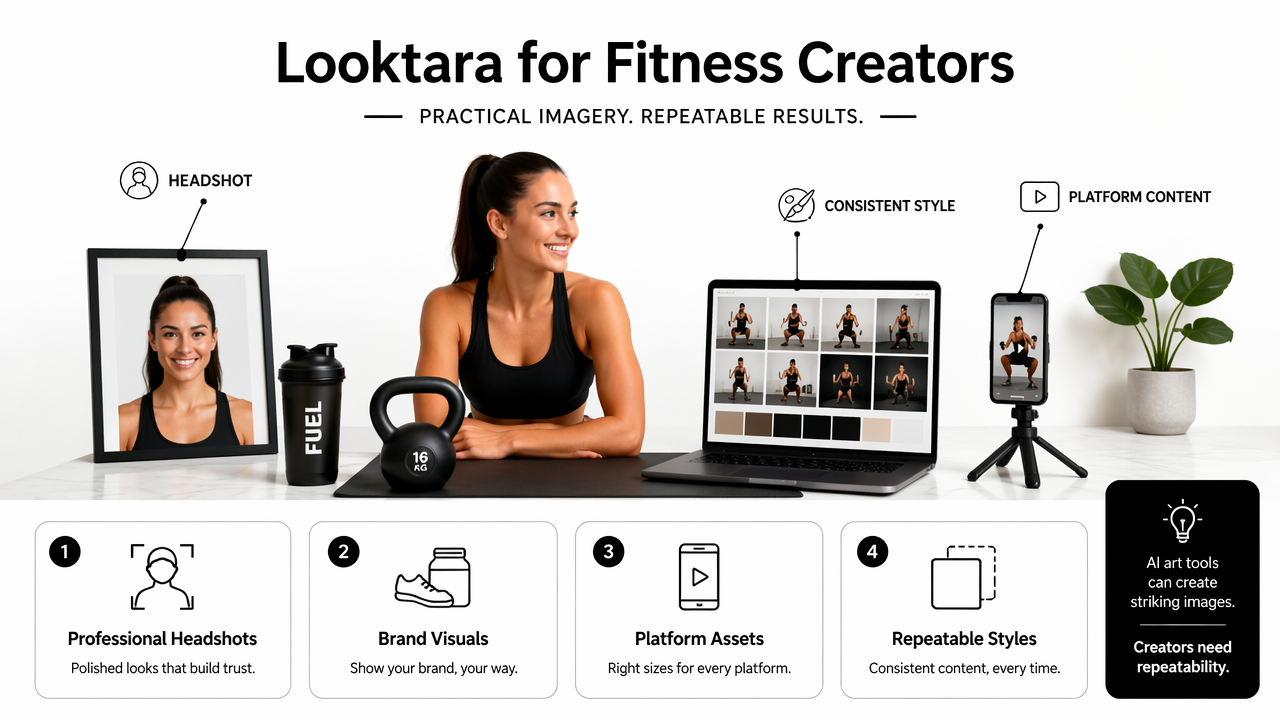
General AI art tools can create striking images, but creators usually need repeatability. A fitness coach, freelance designer, founder, or influencer may need a headshot, post visual, ad creative, banner, and thumbnail that feel connected. That is where a focused social image workflow beats one-off prompting.
Looktara is a strong fit for creators who need both profile polish and content production. For example, a remote worker can create a professional headshot, then build matching social graphics for profile announcements or portfolio updates. A founder can pair a clean portrait with launch graphics, pitch content, and ad visuals.
The best workflow starts with identity before output. The creator should decide on three details: visual tone, audience expectation, and repeat use. A calm executive tone fits LinkedIn. A brighter creator tone fits Instagram and TikTok. A bold, high-contrast face works better for thumbnails.
A complete creator kit often includes:
- One primary profile photo for LinkedIn, X, and portfolio pages
- One warm lifestyle image for Instagram or dating profiles
- One high-energy face crop for YouTube thumbnails
- One branded background or banner image
- Three to five post templates for recurring content formats
Social selling and creator commerce also need ad-ready visuals. A creator promoting coaching, digital products, or shop content can extend the same image direction into an Instagram and Facebook ad generator, keeping campaigns connected to the public profile.
Sangmin Park and Young-Gab Kim's 2022 IEEE Access paper on metaverse taxonomy, components, applications, and open challenges covered immersive digital identity as part of broader virtual environments in IEEE Access. Social creators do not need a full virtual world to feel that shift. Profile photos, avatars, headshots, and branded images already function as portable identity signals across feeds.
For creators comparing tools, looktara.com is best treated as a production hub rather than a novelty image toy. The goal is not endless art experiments. The goal is a small, useful set of images that can support a real public presence.
FAQ: AI photo generators for creator profiles
AI photo generator questions usually focus on realism, platform fit, ethics, and whether generated images can replace a traditional photo shoot. The best answer depends on image purpose and how closely the final result represents the real person.
Are AI-generated profile photos acceptable for LinkedIn?
AI-generated LinkedIn profile photos are acceptable when the image remains realistic, professional, and recognizably based on the person. Recruiters and clients respond to trust signals, so natural lighting, accurate facial features, and simple backgrounds matter more than dramatic styling.
Can creators use the same AI photo on every platform?
Creators can use one core identity across platforms, but the exact image should change by context. LinkedIn needs credibility, YouTube needs visual punch, Instagram needs personality, and dating apps need warmth. Cropping, background, expression, and color can shift while the person remains recognizable.
What makes an AI headshot look fake?
An AI headshot looks fake when facial symmetry is too perfect, skin texture is plastic, eyes are uneven, clothing details melt, or the background does not match the lighting. A believable image keeps normal human texture and avoids extreme edits.
Should social media creators disclose AI-assisted photos?
Disclosure depends on context and platform rules. A light AI-assisted headshot for a professional profile is different from a synthetic image used in advertising, endorsements, or identity-sensitive content. Creators should avoid misleading audiences about appearance, products, locations, or credentials.
Conclusion
The best artificial intelligence photo generator for social media creators is the one that produces useful, believable images for specific channels, not the one that creates the wildest output. Creators should begin with a clear profile goal, build a small set of platform-specific images, and review every result for accuracy before publishing.
For the next step, create one primary headshot, one casual creator image, and one channel-specific asset such as a thumbnail or ad visual. Then test how each image performs across profile visits, replies, saves, and clicks. For a focused creator workflow, head to looktara.com and build a practical image set with Looktara.
Generated by EarlySEO.com