
A visible tattoo can sometimes change how a professional photo is perceived, especially on LinkedIn, resumes, or corporate websites. Instead of expensive retouching sessions or laser procedures, modern AI tools can digitally remove tattoos from headshots in seconds. Platforms like The Looktara Lens combine AI headshot generation with intelligent photo editing so professionals can create clean, polished images for job applications, portfolios, and personal branding without a full studio shoot. In 2026, this blend of AI portrait generation and tattoo removal has become one of the fastest ways to produce professional profile photos.
Why Professionals Remove Tattoos From Headshots
Visible tattoos are widely accepted in many industries, but research still shows mixed perceptions in hiring environments. According to a 2023 study published in the Journal of Organizational Behavior, candidates with visible tattoos received slightly lower professionalism ratings in conservative sectors such as finance, law, and consulting.
Tattoo removal in photos solves a practical problem: you can present different versions of your professional identity depending on the context. A startup founder might keep tattoos visible on social media, while using a cleaner corporate headshot for investor decks or resumes.
Tattoo removal from images is a form of photograph manipulation, which Wikipedia defines as altering an existing image to improve appearance or change visual elements while maintaining realism.
Common scenarios where people remove tattoos from professional photos include:
- LinkedIn profile updates for corporate job searches
- Resume headshots used in CVs or professional directories
- Dating profile photos where users want a neutral first impression
- Corporate websites requiring uniform employee headshots
- Brand partnerships where creators match a brand's visual guidelines
AI has dramatically lowered the barrier to this type of retouching. What once required a Photoshop expert now happens with a few clicks.
How AI Tattoo Removal Technology Actually Works
Modern AI photo editing systems rely on computer vision models trained on millions of images. These models learn patterns of human skin, lighting, and texture so they can reconstruct areas where tattoos once appeared.
Instead of simply blurring a tattoo, advanced tools generate new pixels that match surrounding skin tone and lighting conditions.
Key Technologies Behind AI Photo Editing
Several machine learning techniques power modern tattoo removal tools:
- Image inpainting models recreate missing visual data using surrounding pixels
- Skin texture synthesis reconstructs natural pores and tone variations
- Segmentation models identify the tattoo area automatically
- Generative diffusion models fill erased areas with realistic skin
According to research from OpenAI and Google DeepMind between 2023 and 2025, diffusion models improved image reconstruction accuracy by over 40 percent compared with earlier GAN based methods.
In simple terms, the AI "imagines" what your skin would look like if the tattoo was never there.
AI vs Traditional Photoshop Retouching
Manual retouching once required professional designers. AI dramatically reduces time and cost.
Comparison: Manual Editing vs AI Tattoo Removal
| Method | Typical Cost | Time Required | Skill Needed |
|---|---|---|---|
| Photoshop manual retouching | $25-$100 per photo | 30-90 minutes | Advanced |
| Freelance portrait editing | $10-$50 | 24-48 hours | None |
| AI tattoo remover | $0-$10 | 5-30 seconds | Beginner |
Because of these advantages, AI editing tools are rapidly becoming the standard for professional profile photos.
Step-by-Step: Creating a Professional Headshot Without Visible Tattoos
Creating a polished professional image now takes only a few minutes if you follow a structured workflow.
1. Capture or Upload a Clear Portrait
Start with a high-resolution image where the face and shoulders are clearly visible. Good lighting reduces AI artifacts.
Tips for the best input photo:
- Use natural window light or soft studio lighting
- Keep shoulders square to the camera
- Avoid heavy shadows across the tattoo area
- Use a neutral background
If you need a professional portrait quickly, tools such as the AI resume headshot generator can turn simple selfies into studio-style photos.
2. Select the Tattoo Area for Removal
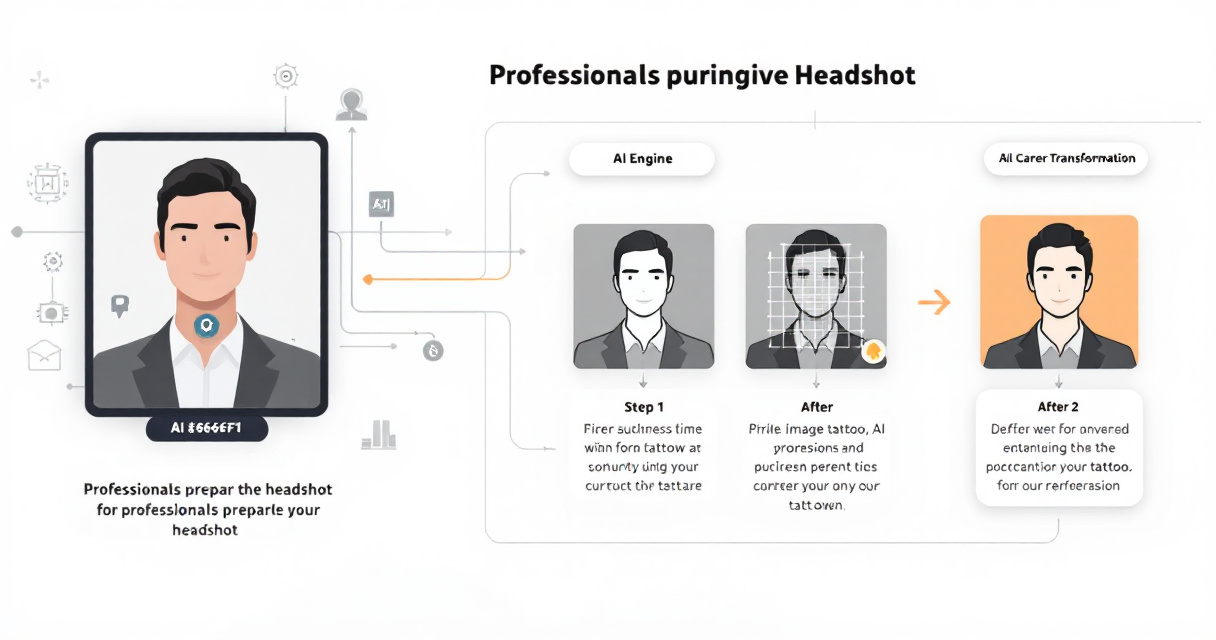
Most AI editors allow you to brush over the tattoo area. The system then detects edges and removes the ink pattern automatically.
The best tools analyze:
- Skin tone gradients
- Lighting direction
- Texture patterns
- Nearby facial features
3. Generate and Refine the Result
Once the AI fills the removed area, review the result at full resolution. Some tools offer refinement sliders for:
- Skin smoothing
- Color correction
- Lighting balance
Platforms such as The Looktara Lens integrate headshot generation and editing in one place, so you can remove tattoos while improving lighting, clothing, and background simultaneously.
Best Use Cases for AI Tattoo Removal in Professional Branding
Tattoo removal is not just about job applications. It is part of a broader visual branding strategy.
Corporate and Career Profiles
Recruiters spend an average of 6 to 8 seconds scanning a LinkedIn profile, according to LinkedIn hiring reports from 2024. A clean, high quality headshot improves first impressions.
Professionals commonly use edited headshots for:
- LinkedIn profiles
- Resume attachments
- Speaker bios
- Company team pages
Content Creators and Entrepreneurs
Creators often produce multiple branding images depending on the platform.
For example:
- A polished headshot for business partnerships
- A casual photo with tattoos visible on social media
Entrepreneurs building online brands also generate marketing graphics with AI tools like a Shopify YouTube thumbnail AI generator or a website hero banner AI generator to maintain visual consistency.
Common Mistakes That Make AI Tattoo Removal Look Fake
AI editing works well, but poor input images or excessive editing can still produce unnatural results.
Low Resolution Images
If the original photo is blurry, the AI has limited texture data to rebuild the skin. Always upload the highest resolution available.
Ignoring Lighting Consistency
Light direction matters. If the AI fills the area without matching shadows, the skin patch may look flat.
Over-Smoothing Skin
Over-editing removes natural pores and creates plastic-looking skin.
Watch for these warning signs:
- Skin looks airbrushed
- Edges around the tattoo area appear blurred
- Skin tone suddenly changes
Professional platforms like The Looktara Lens are designed to keep skin textures realistic so edits blend naturally with the rest of the portrait.
Video Guide: Understanding Advanced AI Photo Editing
Modern AI editing builds on techniques long used in Photoshop. This video demonstrates a classic example of removing unwanted shadows and elements from portraits.
Example Editing Workflow
Even though the tutorial focuses on shadows, the same principle applies to tattoo removal: identify the unwanted element, reconstruct the surrounding texture, then blend lighting and tone.
Where AI Headshots Fit Into a Larger Personal Branding Toolkit
Professional photos rarely exist alone. They usually anchor a wider online presence across multiple platforms.
Modern AI design tools allow creators and entrepreneurs to generate an entire brand kit from one portrait.
Expanding Your Visual Brand
After creating a polished headshot, professionals often produce additional visual assets such as:
- Social media banners
- Podcast covers
- Quote graphics
- Advertising creatives
For instance, marketers frequently pair their headshot with branded content using tools like a LinkedIn post AI generator or a Pinterest pin AI generator to maintain consistent visuals across channels.
What to Expect From AI Photo Editing in 2027
AI image editing continues to evolve quickly. Several trends are already shaping the next generation of professional photo tools.
Real-Time Portrait Editing
New mobile AI models can edit photos instantly while you take them. Instead of removing tattoos after the photo, the camera preview will show the edited version live.
Full Identity Style Controls
Upcoming systems allow users to adjust multiple appearance attributes at once, including:
- Clothing styles
- Haircuts
- Lighting environments
- Skin retouching
This means professionals may soon generate dozens of headshot variations in minutes.
Integrated Personal Branding Platforms
Tools like The Looktara Lens are moving toward all-in-one branding systems where a single portrait can generate:
- LinkedIn headshots
- social media banners
- marketing graphics
- profile photos across platforms
The goal is simple: create one image, then instantly adapt it everywhere.
Conclusion
AI tattoo removal has changed how professionals prepare profile photos. Instead of booking a studio shoot or hiring a retoucher, you can generate a polished headshot and remove tattoos in seconds. For job seekers, entrepreneurs, and creators, that flexibility matters when different platforms require different visual styles.
If you want a fast way to create clean, professional portraits, try The Looktara Lens. The platform combines AI headshot generation, portrait editing, and branding visuals so you can produce career ready photos and marketing assets from a single image.
Upload a photo, generate a professional headshot, remove distractions like tattoos, and start building a stronger online presence today.