
Your profile photo often decides whether someone clicks your profile or scrolls past. On platforms like LinkedIn, a global professional networking service used for career development and job opportunities, your image becomes part of your reputation. That is why many professionals now use AI-generated headshots to upgrade their online presence without booking an expensive studio session. Tools such as The Looktara Lens turn simple selfies into polished, professional portraits suitable for resumes, business websites, and social media. When used correctly, AI headshots support a strong personal brand and help you present a consistent, trustworthy image across platforms.
Why AI Headshots Matter for Modern Personal Branding
Personal branding is the strategic process of shaping how others perceive you online and professionally. According to the Wikipedia definition of personal branding, it focuses on positioning and maintaining a positive public perception by highlighting your unique traits and expertise.
A strong personal brand depends heavily on visual consistency. When people encounter your photo across LinkedIn, websites, and presentations, they form impressions about credibility, professionalism, and personality.
AI headshot tools address a major problem: many people do not have high-quality professional photos. Traditional photoshoots can cost hundreds of dollars and require scheduling, wardrobe planning, and editing time. AI systems simplify the process by enhancing lighting, correcting backgrounds, and generating professional portrait styles from basic images.
Professionals commonly use AI headshots for:
- LinkedIn profile photos
- Resume and portfolio images
- Speaker bios and conference profiles
- Personal websites and blogs
- Social media branding
A polished headshot increases trust and recognition, which are two core components of effective personal branding.
Platforms like The Looktara Lens focus on helping users generate these images quickly while maintaining visual consistency across digital channels.
How AI Headshot Generators Turn Selfies into Studio Portraits
Modern AI headshot tools rely on machine learning models trained to recognize facial structure, lighting patterns, and portrait photography styles. These systems analyze your uploaded photos and generate enhanced versions that resemble professional studio shots.
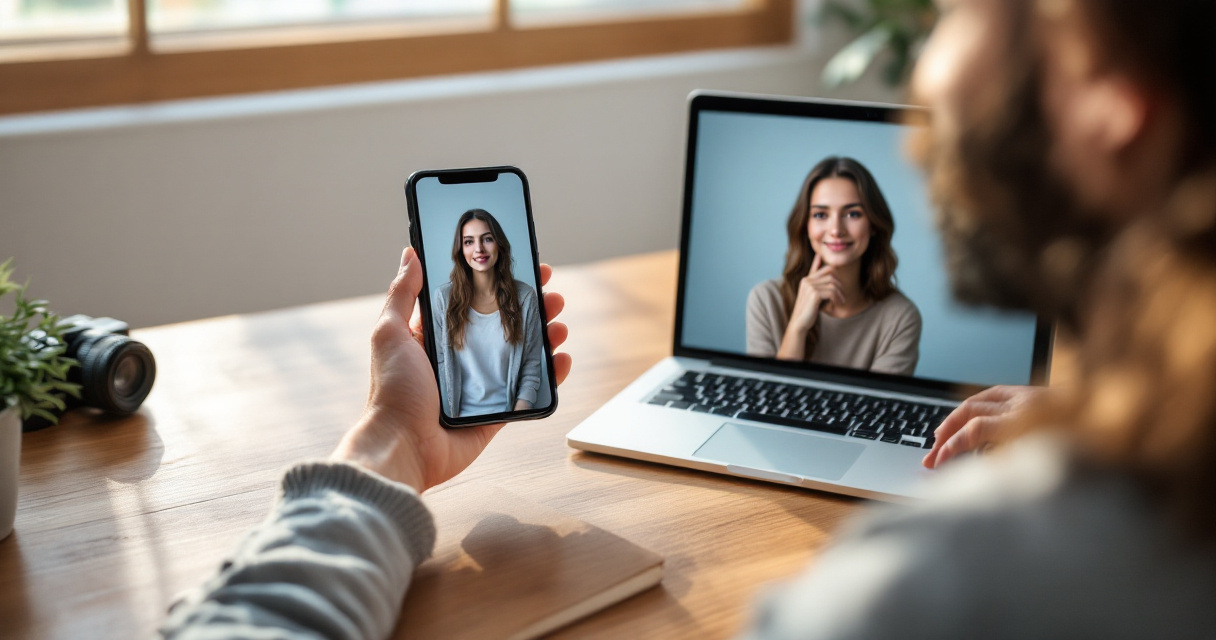
A typical workflow takes only a few minutes and does not require photography skills.
The Typical AI Headshot Creation Process
Most AI headshot platforms follow a similar process:
- Upload several selfies or photos from your phone.
- The AI analyzes facial features, expressions, and lighting.
- The model generates multiple portrait styles such as corporate, casual, or creative.
- You choose the best headshot and download high‑resolution images.
Some tools allow adjustments such as wardrobe style, background environment, and facial expression to better match your personal brand.
Key Features Professionals Look For
Different AI headshot tools vary in quality. The most useful platforms offer features like:
- Background replacement with studio-style lighting
- Skin tone and color correction
- Outfit simulation such as business suits
- High-resolution exports for resumes and websites
- Multiple branding styles
Using The Looktara Lens platform can simplify this process because it focuses on branding assets that work across professional channels.
Common Use Cases for AI Headshots
| Use Case | Why AI Headshots Help |
|---|---|
| LinkedIn profiles | Creates a professional first impression |
| Job applications | Improves resume presentation |
| Personal websites | Adds credibility to your bio |
| Startup founders | Strengthens investor-facing profiles |
| Content creators | Keeps branding consistent |
Many professionals combine their AI headshot with other branding assets, such as a custom logo created with a logo AI generator or profile graphics built for social platforms.
Best Practices for Using AI Headshots in Your Online Brand
An AI-generated image can boost your credibility, but only when it looks natural and consistent with your real appearance. Overly stylized portraits may create distrust if people meet you in person or on video calls.
Here are practical guidelines to keep your AI headshot effective.
Choose Styles That Match Your Industry
Different industries expect different visual signals. A corporate lawyer may need a neutral studio background, while a content creator might prefer a relaxed lifestyle portrait.
Consider these examples:
- Finance and consulting: neutral backgrounds, formal attire
- Tech and startups: modern backgrounds, smart casual clothing
- Creators and influencers: brighter colors, relaxed poses
Consistency matters across all platforms. Your LinkedIn photo should align with the image used on your website or presentation slides.
Pair Headshots with Other Brand Assets
A single photo rarely builds a full personal brand. Strong branding combines images, content, and visual design.
You might also create:
- Custom banners for profiles
- Social media post graphics
- Presentation visuals
- Content thumbnails
For example, entrepreneurs often combine their headshot with a professional banner created using a website hero AI generator or design promotional visuals using an Instagram and Facebook ad generator.
Your audience should recognize your visual style immediately across platforms.
Keep the Image Authentic
AI should enhance your appearance, not replace it. Choose images that still resemble your real facial features and natural expression.
Small adjustments such as lighting improvement or background cleanup improve credibility without making the image feel artificial.
Privacy, Ethics, and Trust in AI‑Generated Images
AI-generated media introduces important ethical questions, especially when personal images are involved. Research in the paper Privacy and Security Concerns in Generative AI: A complete Survey by Golda, Mekonen, and Pandey (2024) examined how generative systems can introduce risks related to data privacy and misuse if platforms store or train on personal images without clear safeguards. Study link
Another research review on the psychology of artificial intelligence by Bonnefon, Rahwan, and Shariff (2023) discussed how public trust in AI depends heavily on transparency and ethical design. Study link
These findings matter for anyone using AI headshots professionally.
How to Protect Your Images When Using AI Tools
Before uploading photos to any generator, check the platform's policies regarding training data and storage.
Look for tools that:
- Allow users to delete uploaded photos
- Do not reuse personal images for training without permission
- Clearly explain how data is processed
- Provide secure image downloads
Responsible platforms prioritize transparency and control over user data.
Ethical Use of AI Headshots in Professional Settings
Using an AI-enhanced photo is generally acceptable when the image represents you accurately. Problems arise when images are misleading or heavily altered.
Best practices include:
- Avoid unrealistic age changes
- Do not generate fake identities
- Use AI only to enhance real photos
Authenticity still matters more than visual perfection in professional branding.
What to Expect from AI Headshots in 2027 and Beyond
AI portrait generation is evolving quickly. Tools available in 2026 already produce images that rival professional photography in certain contexts. The next wave will likely focus on deeper personalization and real-time content creation.
Emerging Trends in AI Personal Branding Tools
Several trends are shaping the future of AI-generated profile images:
- Real-time portrait generation during video calls
- AI styling suggestions based on industry trends
- Automatic branding kits with photos, banners, and thumbnails
- Integration with social networks and professional platforms
Content creators already experiment with AI-generated visuals for YouTube thumbnails and social media graphics using tools such as a YouTube thumbnail generator or a LinkedIn post AI generator.
AI as a Full Personal Branding Assistant
The next step goes beyond photos. AI platforms increasingly combine visual assets, content generation, and branding guidance into a single system.
A platform like The Looktara Lens already moves in this direction by offering tools that help users design headshots, marketing visuals, and profile content from one place.
Professionals who build consistent branding early will likely benefit most as these tools become more integrated across platforms.
Conclusion
Your profile photo is often the first signal people use to judge credibility online. AI headshots make it easier than ever to present a polished, professional image without the time and cost of traditional photography. When paired with consistent branding across social media, websites, and presentations, a well-designed headshot strengthens recognition and trust.
If you want to upgrade your professional image quickly, try generating a polished portrait using The Looktara Lens. Combine your AI headshot with matching graphics, banners, and social media visuals so your personal brand looks consistent everywhere people discover you online.
Generated by EarlySEO.com