
TL;DR
Replace filtered, outdated, or poorly lit source photos before generating another batch, then choose one clear style. Edit isolated background defects, regenerate portraits with facial changes, and use a real photograph when an accurate likeness remains out of reach.
A polished portrait isn't a successful headshot if the person looks unfamiliar. For anyone searching "AI headshot bad results what to do," the best starting point is diagnosis, not another purchase. Separate problems with likeness from problems with lighting, clothing, and backgrounds; each needs a different fix.
AI headshot: A portrait generated or transformed by artificial intelligence to resemble a person in a professional photographic setting.
The practical goal in 2026 remains straightforward: a current, recognizable image that fits its intended use.
Table of Contents
Why do AI headshots look wrong?
AI headshots can look wrong when source photos provide unclear or conflicting visual information, or when the requested style changes the person's appearance too much. Weak lighting, extreme angles, heavy filters, and outdated photos make diagnosis harder. The generator itself may also produce unwanted smoothing or facial changes.
A May 2026 discussion on Benchmark Forum raises excessive skin smoothing and eye sharpening as possible tool-related problems. That discussion offers user observations, not controlled evidence that every generator behaves the same way.
Match the visible defect to a likely cause
The visible defect helps determine which part of the process deserves attention first.
| Visible problem | Possible cause | First action |
|---|---|---|
| Face looks unfamiliar | Conflicting ages, filters, or angles | Replace inconsistent source photos |
| Skin looks plastic | Beauty filters or aggressive styling | Use unfiltered inputs and natural styling |
| Eyes or jaw look uneven | Extreme angles or generation artifacts | Compare against a clear frontal photograph |
| Lighting looks unnatural | Mixed source lighting or dramatic style | Choose soft, even lighting |
| Outfit feels off-brand | Unclear wardrobe direction | Specify a simple, suitable outfit |
| Hair or glasses change | Inconsistent appearance across inputs | Use photos showing the current appearance |
Separate taste from identity
An unwanted jacket color is a style problem; a different nose shape is a likeness problem. Changing wardrobe settings won't necessarily restore facial identity.
Key takeaway: Judge recognizability before judging polish. A flattering portrait still needs to represent the actual person.
Use a recent photograph as the reference, rather than memory alone. Compare face shape, hairline, eye spacing, and distinguishing features before deciding that an image is usable.
How can poor AI headshots be fixed?
- Remove blurred, filtered, outdated, and obstructed source photos.
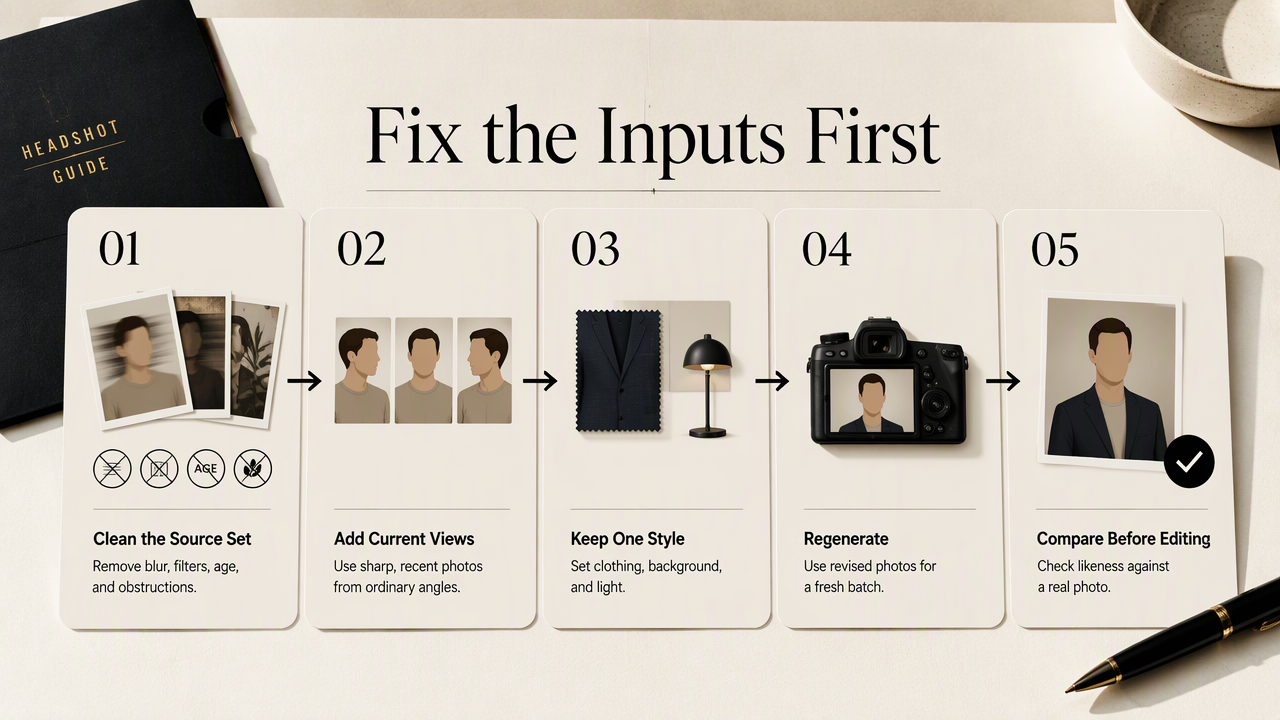
- Add recent, sharp photographs with consistent appearance and varied moderate angles.
- Choose one clear wardrobe, background, and lighting direction.
- Generate a fresh batch using the revised inputs.
- Compare the results against a real photograph before making minor edits or publishing.
Build a cleaner source-photo set
A useful source set shows the same current person clearly across several ordinary views. Variation should reveal facial details, not introduce different ages, hairstyles, or heavily edited appearances.
- Keep sharp photos with visible eyes and a clearly defined face.
- Favor soft daylight or even indoor light over strong shadows.
- Include frontal and gentle three-quarter views rather than extreme profiles.
- Remove sunglasses, face-covering objects, group shots, and beauty-filtered selfies.
- Follow the service's stated upload requirements instead of assuming a universal photo count.
A phone camera can provide suitable inputs. Clean the lens, keep the camera around eye level, and step away from harsh overhead lighting. A simple wall helps attention stay on the face.
Old photos deserve special scrutiny. A portrait intended for current professional use should reflect present-day hair, facial hair, glasses, and age rather than blend several periods of a person's life.
Choose a style that serves the profile
A clear style brief connects the portrait to its destination. LinkedIn may call for approachable business clothing; a creator profile may suit a more relaxed setting. Neither needs a dramatic transformation.
A useful brief could read: Current hairstyle, natural skin texture, plain navy shirt, neutral background, soft daylight, chest-up framing. Where the service offers presets rather than prompts, select the closest equivalent.
Change one variable at a time. Keeping the source set fixed while adjusting the background makes the result easier to evaluate than changing photos, clothing, lighting, and framing together.
Run a repeatable quality check
A repeatable review separates an attractive image from a publishable one. Check the portrait at full size for facial details, then at profile-thumbnail size for framing and expression.
Ask someone who knows the subject to assess likeness without first describing the expected answer. Keep a short record of source changes and style selections so the next attempt builds on a specific observation rather than guesswork.
When should a headshot be edited, regenerated, or replaced?
An AI headshot should be edited when its likeness is accurate and the remaining issue is minor, regenerated when facial features or several details are wrong, and replaced with a real photograph when repeated attempts still misrepresent the person. The decision should depend on identity accuracy, not time already spent.
Choose the smallest appropriate intervention
The smallest appropriate intervention preserves an accurate face while addressing the specific defect.
- Edit: Adjust crop, brightness, or a small background distraction when likeness already holds.
- Regenerate: Start again after improving inputs when eyes, teeth, face shape, or multiple details look wrong.
- Replace: Choose a real portrait when faithful representation remains uncertain or the destination requires an actual photograph.
Check refund or regeneration terms before purchasing another batch. Heavy manual reshaping can compound the original problem, particularly when several facial features need correction.
Research also gives authenticity a broader context. Bonnefon, Rahwan, and Shariff's 2023 review, The Moral Psychology of Artificial Intelligence, examines AI through moral psychology; it isn't an AI-headshot accuracy benchmark. Likewise, Miceli and Posada's 2022 paper, The Data-Production Dispositif, addresses data production rather than portrait troubleshooting.
A successful final review confirms current appearance, suitable presentation, and permission to use the image. Keeping the chosen portrait alongside its real-photo reference makes future profile updates easier to assess.
How Looktara handles this
Looktara provides a relevant next step for people seeking AI-generated profile imagery, with the same practical priorities: a current likeness, a clear purpose, and a consistent style brief.
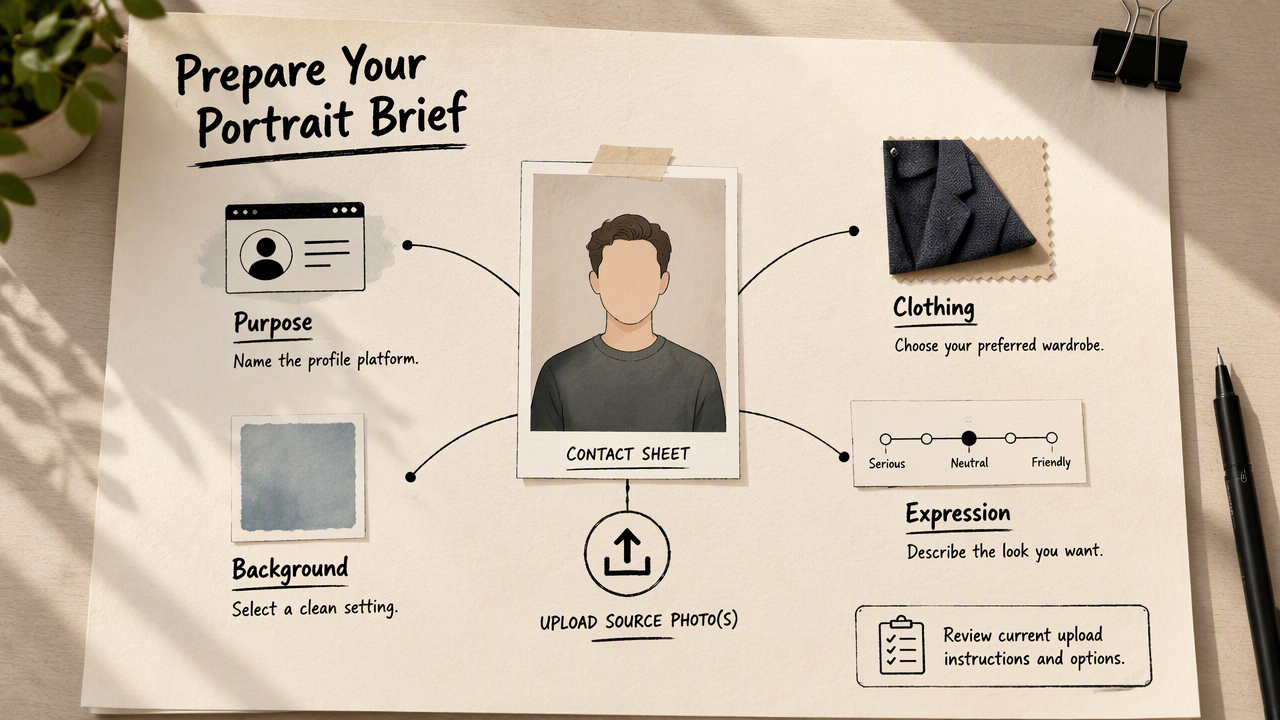
A prepared brief should name the intended platform, preferred clothing, background, and expression. That gives the next portrait attempt a concrete target and provides a useful checklist for selecting the final image.
Connect the portrait to its publishing destination
Looktara can be considered once source photos and presentation goals are ready. At looktara.com, prospective customers should review the current upload instructions and available options before starting; requirements and service terms should be checked directly.
Fitness professionals preparing career materials can explore the fitness LinkedIn headshot page. Fitness creators preparing author imagery can consult the fitness newsletter headshot page.
Selection checklist: Choose for recognizable features, natural expression, appropriate clothing, and a crop that works at the destination's display size.
For coordinated professional branding, carry the selected portrait's clothing palette and background tone into related profile assets. Consistency should support recognition rather than make every image identical.
FAQ: Getting a recognizable AI portrait
The most useful troubleshooting answers distinguish better inputs, realistic expectations, and the intended use of the portrait.
Will uploading more photos improve an AI headshot?
More photos aren't automatically better. Extra images help only when they add clear, relevant views of the same current appearance. Duplicates, filtered selfies, and conflicting hairstyles can make the set less useful. Start with the service's required number, then prioritize sharpness, visible facial features, and consistent age and grooming.
Can a better prompt fix an unfamiliar face?
A better prompt can clarify lighting, wardrobe, expression, and background, but it doesn't guarantee a faithful likeness. When the face is unfamiliar, inspect the source set first. A precise style request works best alongside clear reference photos; instructions such as "more realistic" don't identify which facial details need correction.
Is an AI headshot appropriate for LinkedIn?
An AI headshot can serve a professional profile when it accurately represents the person and meets the platform's current requirements. Avoid treating generated clothing or surroundings as evidence of credentials or employment. For employer directories, regulated uses, or formal identification, check the applicable rules and use a real photograph when required.
Should dating profiles use the same portrait as professional profiles?
Dating profiles generally benefit from current images that reflect everyday appearance, while professional profiles often emphasize clear framing and work-appropriate presentation. A highly styled corporate portrait may communicate little about daily life. When recognizability is uncertain, recent real photographs provide a clearer basis for expectations before an in-person meeting.
Conclusion
Next step: Prepare one controlled attempt
A prepared source set and a clear style brief make the next attempt easier to judge. Select recent, evenly lit photos, define one intended use, and save a real-photo reference for comparison. For a focused professional portrait attempt, review Looktara's current options, generate with a consistent brief, and choose only an image that passes the likeness check.
Generated by EarlySEO.com