
A square image measuring 1080x1080 pixels has quietly become the standard format for profile and social media graphics. The 1:1 aspect ratio works across platforms, scales well on mobile screens, and avoids awkward cropping. For job seekers, creators, entrepreneurs, and remote workers, a strong profile photo can influence how people perceive your credibility online.
Modern AI image tools make this process much easier. Instead of hiring a photographer or editing images manually, you can generate a polished square profile photo in minutes. Platforms like The Looktara Lens help users create professional profile images optimized for social media and personal branding. This guide explains what a 1080x1080 profile photo is, why it works, and how to generate one step by step using modern tools.
Why 1080x1080 Became the Standard Profile Photo Size
The 1080x1080 format represents a 1:1 square aspect ratio, meaning the width and height are identical. Social platforms favor this shape because it fits well in mobile feeds, profile grids, and preview cards.
Many networks actually display profile photos in circles or smaller frames, but they still recommend uploading square images to avoid compression issues. A larger square such as 1080x1080 also preserves quality when platforms resize the image.
Common Platforms That Work Best With 1080x1080 Images
| Platform | How the Image Is Displayed | Why 1080x1080 Works |
|---|---|---|
| Circular profile photo | High resolution prevents blur on mobile screens | |
| Square preview that crops into a circle | Clear face visibility for professional profiles | |
| Circle display with square upload | Reduces compression artifacts | |
| Square thumbnails across boards | Maintains consistent grid layout | |
| X (Twitter) | Circular avatar | Larger source image improves sharpness |
Even if a platform recommends smaller uploads, starting with 1080x1080 gives the system more pixels to work with. The result is sharper edges, clearer faces, and fewer compression artifacts.
A square 1080x1080 image keeps profile photos crisp across mobile apps, desktop views, and algorithmic previews.
Many creators pair their profile image with other square assets like branded posts or quote graphics. Tools such as this AI Instagram post generator help keep visual styles consistent across profiles and feeds.
How AI Profile Photo Generators Create Exact Image Sizes
AI image generators work by producing images from prompts or templates while controlling technical details like aspect ratio, resolution, and composition. Instead of generating a random image and cropping it later, modern generators create the image directly in the target size.
This matters for profile photos. Cropping often removes important facial details or shifts the focal point. Generating the image at 1080x1080 from the start keeps the subject centered and balanced.
Core Features in Modern Profile Photo Generators
Most tools share several capabilities that make profile photo creation simple:
- Prompt based generation that turns text descriptions into portraits
- Preset sizes such as 1080x1080 for social media
- Automatic face centering so the subject fits circular crops
- Background replacement for cleaner branding
- Lighting and style filters for professional polish
Some tools also support layered editing. Platforms like Picsart, a cross platform design and editing platform with templates and AI image tools, allow users to combine generated images with additional design elements (Wikipedia).
Why Exact Dimensions Matter for AI Images
| Factor | Impact on Profile Photos |
|---|---|
| Resolution | Prevents pixelation when platforms resize images |
| Aspect ratio | Avoids awkward cropping of faces |
| Center alignment | Ensures the face remains visible in circular avatars |
| Compression control | Larger images retain detail better |
When generating a headshot for professional platforms, starting with the correct size saves time and prevents quality loss later.
Step by Step: Generate a 1080x1080 Profile Photo with AI
Creating a profile photo with AI usually takes less than five minutes. The process is simple once you understand the steps.
1. Choose a Generator That Supports Custom Image Sizes
Start with a tool that allows square output dimensions. Options range from editing platforms to dedicated portrait generators.
If your goal is a professional headshot, specialized tools can help. For example, a resume headshot AI generator focuses on business friendly lighting, clothing, and neutral backgrounds.
2. Upload a Photo or Write a Prompt
Most generators offer two methods:
- Upload an existing portrait for enhancement
- Generate a new image from a text prompt
Example prompt: "Professional headshot, neutral background, soft studio lighting, centered portrait, square format."
3. Select the Exact Size
Choose 1080x1080 pixels from the size menu or manually enter the dimensions. This ensures the image is generated at the correct resolution rather than cropped later.
4. Adjust Composition and Background
Good profile photos follow a few basic rules:
- Face centered and clearly visible
- Eyes roughly one third from the top
- Simple background with minimal distractions
5. Export in High Quality
Download the image as PNG or high quality JPEG. Uploading a high resolution image helps platforms compress it less aggressively.
Generating the image at the correct size first usually produces better results than resizing afterward.
Best Practices for Professional Looking Profile Photos
A technically correct size does not guarantee a strong profile photo. Lighting, composition, and branding still matter. Many people upload images that technically fit the dimensions but fail to communicate professionalism.
Key Elements of an Effective Profile Photo
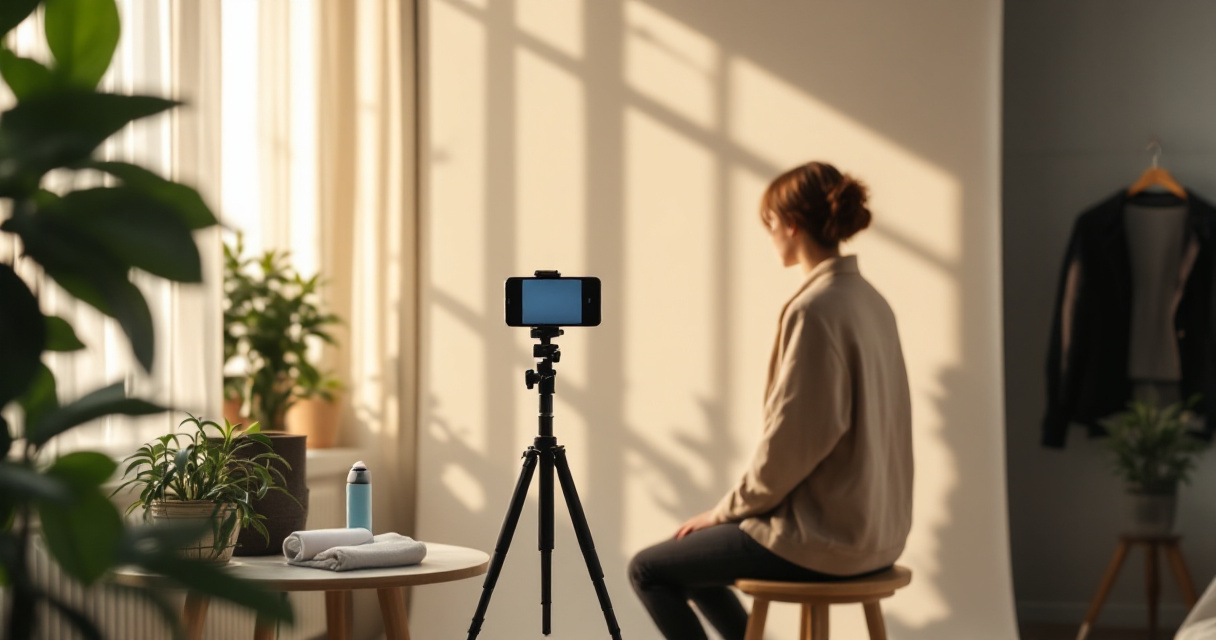
- Clear lighting with no harsh shadows
- Neutral or lightly textured background
- Face occupying 60 to 70 percent of the frame
- Natural expression instead of overly posed looks
- Color contrast between subject and background
These principles work for business platforms and social media alike.
Common Mistakes That Reduce Image Quality
| Mistake | Why It Hurts Your Profile |
|---|---|
| Cropping group photos | Faces appear small and unclear |
| Low resolution images | Blurry after platform compression |
| Busy backgrounds | Distracts from the subject |
| Over edited filters | Looks unnatural and less trustworthy |
Creators who manage multiple platforms often generate a whole set of visuals together. For example, a consistent personal brand might include profile photos, banner graphics, and thumbnails. Tools such as this YouTube thumbnail AI generator help keep visuals aligned across different channels.
Professional consistency becomes even more important for entrepreneurs and freelancers building an online presence.
Using The Looktara Lens to Create Optimized Profile Photos
Generating images manually across different tools can be slow. That is where platforms built for content creators come in. The Looktara Lens focuses on AI powered visual assets designed for social media, professional profiles, and branding.
Instead of guessing dimensions, the platform offers presets for common formats such as square profile photos, thumbnails, and post graphics. This saves time and ensures that images match platform requirements.
Why Many Creators Use The Looktara Lens
- Built in templates for social platforms
- AI generation for headshots and profile images
- Preset dimensions including 1080x1080
- Fast export for multiple channels
Users who maintain active profiles often generate several assets together. For instance, a creator might design a profile photo, then pair it with a LinkedIn post generator to maintain a consistent professional identity.
Creating a Cohesive Visual Brand
Profile photos rarely exist alone. They sit next to other design elements across your pages.
| Asset Type | Example Use |
|---|---|
| Profile photo | Personal or brand identity |
| Banner image | Website or LinkedIn header |
| Social posts | Content marketing visuals |
| Thumbnails | Video previews |
Creators who also manage websites or product pages often design matching visuals using tools such as a website hero AI generator to maintain brand consistency across platforms.
This approach makes your profile feel intentional instead of random.
Conclusion
A 1080x1080 profile photo may seem like a small detail, but it plays a major role in how people perceive your online presence. The square format keeps images sharp across social platforms, and AI tools now make it possible to generate polished headshots in minutes.
Start by choosing a generator that supports exact dimensions, center your subject carefully, and export the image at full resolution. Then use consistent visuals across your other social assets to strengthen your brand identity.
If you want a faster workflow, try creating your next profile photo with The Looktara Lens. The platform provides ready made dimensions, AI powered headshot tools, and templates designed for modern social media profiles.
Generated by EarlySEO.com